
Amazon Managed Grafana (2026): Workspace Best Practices for Grafana 12.4 — Seats, Auth, Network, and Dashboard Ops
Quick summary: Amazon Managed Grafana waste is rarely the $9 Editor seat itself. It comes from ten Editors who only view dashboards, orphan service accounts, and workspaces still on Grafana 9 while AWS shipped create and in-place upgrade support for 12.4 in April and May 2026. This is the workspace ops playbook: seats, IAM Identity Center, NAC/VPC, CMK, and a checklist you can run this week.
Key Takeaways
- Amazon Managed Grafana waste is rarely the $9 Editor seat itself
- It comes from ten Editors who only view dashboards, orphan service accounts, and workspaces still on Grafana 9 while AWS shipped create and in-place upgrade support for 12.4 in April and May 2026
- This is the workspace ops playbook: seats, IAM Identity Center, NAC/VPC, CMK, and a checklist you can run this week
- This post is the workspace ops playbook (seats, auth, network, encryption, dashboards) for teams that have already decided AMG is the right pane
- If you have not named the gap CloudWatch + Application Signals fails to close, stop here and read Observability beyond CloudWatch (2026) first
Table of Contents
Most Amazon Managed Grafana bills grow because every engineer is an Editor, three forgotten service accounts still bill at $9 each, and the workspace is still on Grafana 9 while AWS shipped Grafana 12.4 create support in April 2026 and in-place upgrades in May 2026. This post is the workspace ops playbook (seats, auth, network, encryption, dashboards) for teams that have already decided AMG is the right pane. It does not cover whether you need AMP/AMG at all.
If you have not named the gap CloudWatch + Application Signals fails to close, stop here and read Observability beyond CloudWatch (2026) first. The rest of this guide assumes you earned the second stack.
When this post applies
| You are here | Do this instead |
|---|---|
| CloudWatch dashboards answer every on-call question | Stay on CloudWatch; do not open an AMG workspace |
| PromQL-native / Grafana habit / multi-source correlation | Continue below |
| AMP bill is the pain, not the Grafana UI | Fix scrape/cardinality first: cardinality guide |
Opinion: One shared AMG workspace with folder-level permissions beats five “team” workspaces. Licenses are per workspace per month; the same Viewer logging into two workspaces pays twice.
Workspace design: version, IAM, and the five-workspace limit
When you create a workspace you choose Grafana 9, 10, or 12. For anything new in mid-2026, choose 12 (12.4+): Drilldown apps for Prometheus/Loki/Tempo/Pyroscope-style exploration, Scenes-powered dashboards, and a stronger CloudWatch plugin (PPL/SQL on Logs, Metrics Insights cross-account, log anomaly detection). In-place upgrade to 12.4 is supported via console, SDK, or CLI. Smoke-test critical dashboards before you click upgrade on the on-call workspace.
Other create-time decisions that are hard to undo casually:
- Service managed vs customer managed IAM: prefer service-managed unless you need fine-grained policies across many accounts. Org member accounts need delegated-admin patterns for service-managed multi-account access.
- Account access: current account vs organization-level data source reach.
- Plugin admin: enable only if workspace admins must install/uninstall plugins; leaving it off reduces accidental plugin sprawl.
- Grafana alerting: turn on for ops workspaces, but run 10.4+ (v8/v9 can emit multiple notifications for Grafana alerts).
- Region quota: as many as five workspaces per Region per account. Treat it as a design constraint.
Example create (AWS CLI; Grafana 12.4, IAM Identity Center, service-managed permissions). Context: AWS CLI v2, role pre-created, Identity Center available in the account.
# See full script: examples/architecture-blog-2026/amazon-managed-grafana/workspace-create.sh
aws grafana create-workspace \
  --account-access-type CURRENT_ACCOUNT \
  --workspace-role-arn "$GRAFANA_WORKSPACE_ROLE_ARN" \
  --authentication-providers AWS_SSO \
  --permission-type SERVICE_MANAGED \
  --grafana-version "12.4" \
  --configuration '{"plugins": {"pluginAdminEnabled": true}}'
Auth and RBAC: Viewer by default
Authenticate with AWS IAM Identity Center, SAML, or both. Identity Center is the default path for most AWS-centric shops; SAML fits enterprises that already federate Grafana through Okta/Azure AD and want assertion-driven roles.
Role policy that controls the bill:
- Viewer for anyone who only opens dashboards during incidents ($5/active user/workspace/month).
- Editor for people who build and edit dashboards ($9).
- Admin for a tiny set who manage users, data sources, and plugins ($9 Editor license tier).
AWS bills active users, meaning anyone who logged in or made an API request in the month. Each workspace still needs a minimum of one Editor license even if nobody logs in. Enterprise plugins add $45 per active user when you need Grafana Labs enterprise data sources.
API users and service accounts are seats. Dashboard-as-code should use one dedicated service account with the least privilege that works, and the rest should be disabled.
Network and data plane: NAC and VPC are different controls
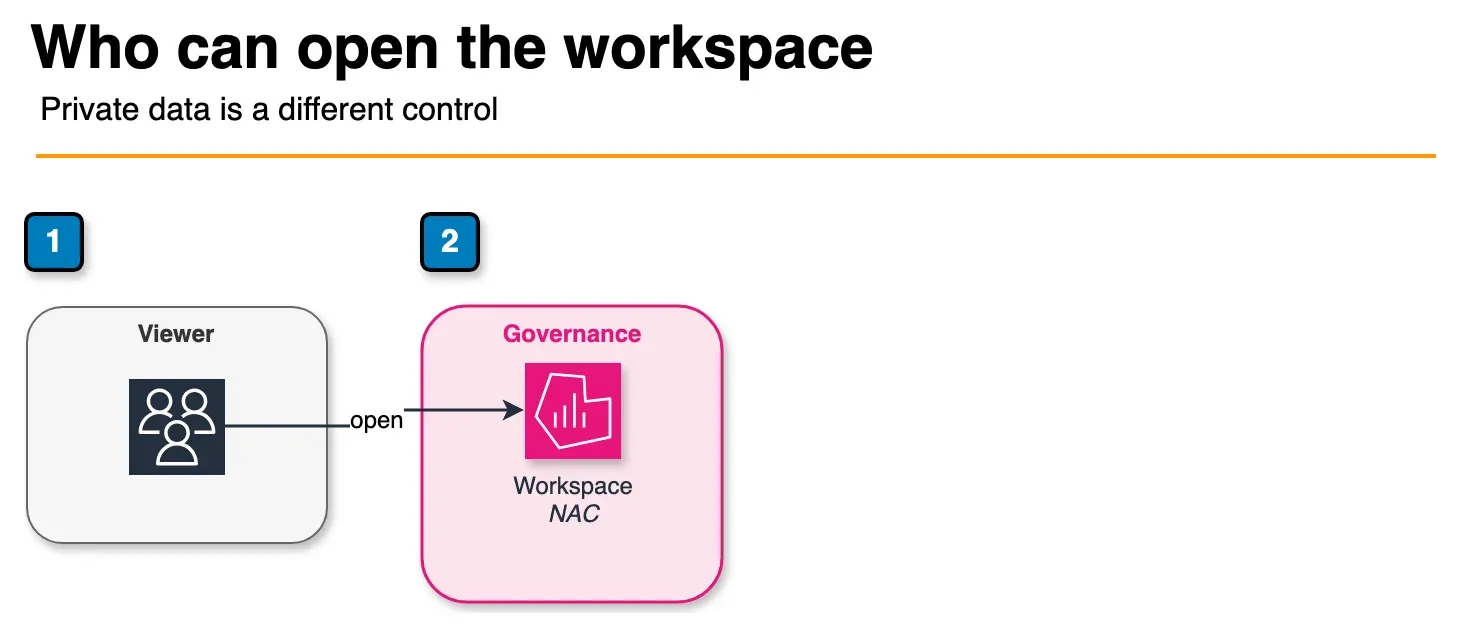
Figure: network access control. It limits which clients can open the workspace URL. A VPC connection is how Grafana reaches a private source, which is a separate path from the client path. IPv6 is optional. Open the draw.io source.
| Control | What it does | When you need it |
|---|---|---|
| Network Access Control | Restricts clients that can hit the workspace URL | Almost always for production internet-facing UIs |
| VPC connection | Lets Grafana reach private data sources | AMP/OpenSearch/custom endpoints in private subnets |
| Dual-stack (IPv4 + IPv6) | Workspace addressing on both stacks (Grafana ≥10.4) | Only when you have a real IPv6 requirement (May 2026) |
Before dual-stack: allow sso.signin.aws in firewalls/IdP configs, confirm IPv6 pathing, and ensure VPC subnets have IPv6 CIDRs if the workspace uses a VPC. Switching back to IPv4-only drops IPv6 clients immediately.
Security and compliance notes
- Encryption at rest defaults to AWS-owned keys. Customer-managed KMS keys have been available since February 2026 for commercial Regions (not GovCloud). Choose CMK at create time when policy demands customer-controlled keys.
- GovCloud (US) AMG availability landed January 2026; FedRAMP High authorization for GovCloud was announced July 2026. Enterprise plugins are not part of the GovCloud feature set, so plan your data-source strategy accordingly.
Data sources worth the seat cost
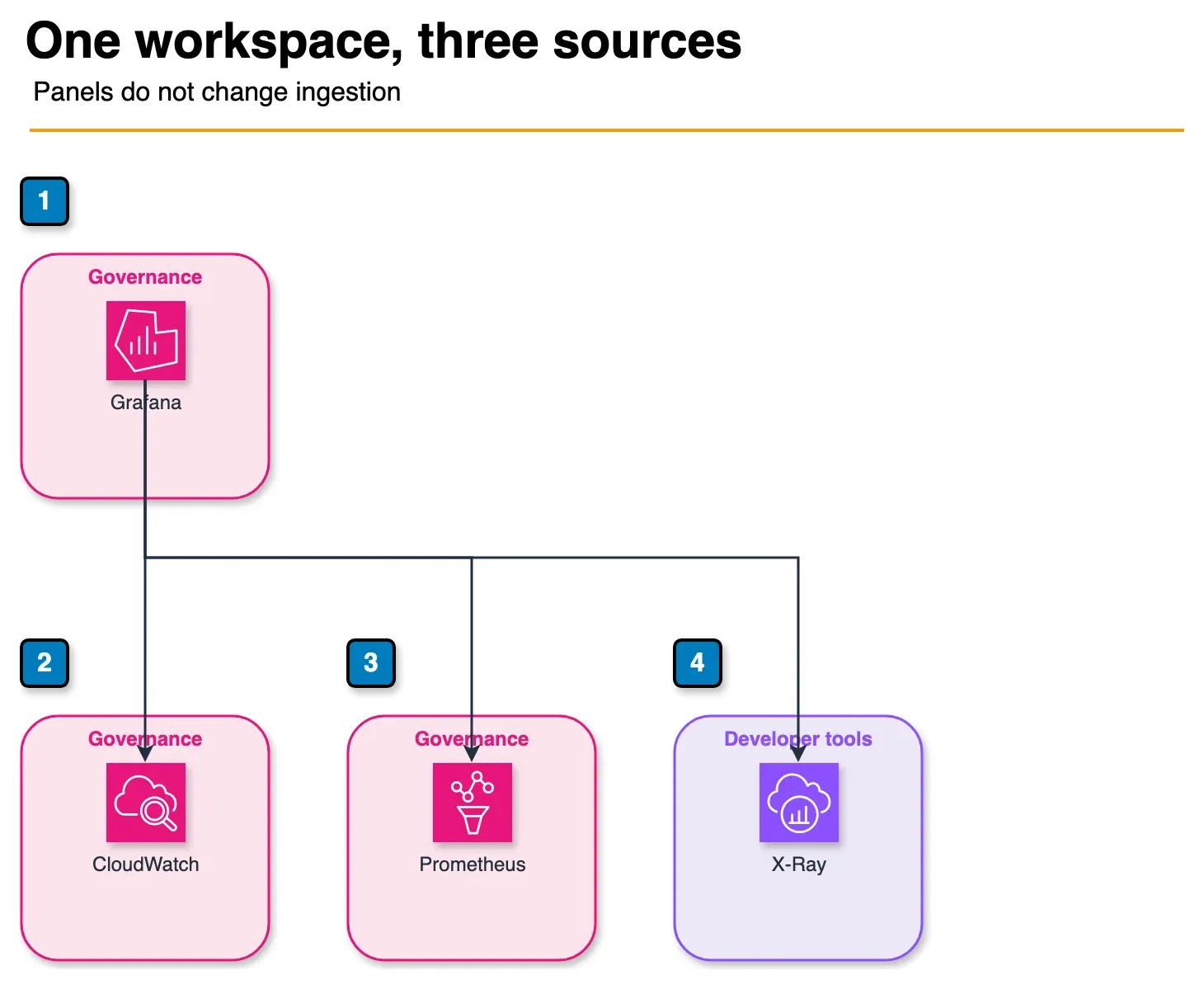
Figure: the data sources. One workspace correlates CloudWatch, Managed Prometheus, and X-Ray. OpenSearch is another source, not a required fourth hop. Deleting a panel does not change what AMP ingests. Open the draw.io source.
AMG is worth the license when one pane correlates:
- Amazon CloudWatch (metrics, Logs with PPL/SQL on Grafana 12.4 plugin paths)
- Amazon Managed Service for Prometheus (PromQL-native teams)
- AWS X-Ray
- OpenSearch / third-party sources your SREs already live in
Pay +$45/user for Enterprise plugins only for a named source you cannot reach with open plugins. “We might need Splunk later” is not a reason to enable them on day one.
AMP ingestion cost is a separate lever. Fix scrape intervals and cardinality in the AMP cost guide, not by deleting Grafana panels.
Dashboard and alerting ops
- Prefer folders + permissions over a second workspace for team isolation.
- Enable Grafana alerting on 10.4+; wire notification channels once; test for duplicate Slack/PagerDuty routes.
- Provision dashboards via API/service account from git; do not hand-edit production JSON without a backup folder.
- After a 12.4 upgrade, re-check Drilldown/Scenes-rendered dashboards and any CloudWatch Logs panels that move to PPL/SQL.
Best practices checklist
Work the full list in amg-best-practices-checklist.md. The short version:
- Inventory Editors → reassign view-only users to Viewer.
- List API users and service accounts → disable orphans.
- Confirm Grafana version; schedule 12.4 upgrade if still on 9/10.
- Turn on Network Access Control for public endpoints.
- Confirm VPC path for private data sources.
- Decide CMK / GovCloud requirements explicitly, and do not inherit console defaults silently.
- Re-read the tier decision matrix for any workload that still should not be on AMG.
What to do this week
- Export or list active AMG users and roles; reassign anyone who has not edited a dashboard in 30 days to Viewer.
- Disable unused service accounts and API users.
- If the workspace is below 12.4, book a maintenance window for in-place upgrade after a dashboard smoke test.
- Enable NAC (and VPC if data sources are private).
- Run the checklist and archive the seat CSV with this month’s numbers.
Need a workspace review or help wiring AMG into an existing AMP/CloudWatch estate? Talk to our AWS observability engineers or see AWS managed services.
What this post doesn’t cover
- Whether to adopt AMP/AMG vs Application Signals: see Observability beyond CloudWatch (2026).
- AMP cardinality and scrape-interval cost: see Prometheus cardinality on AWS.
- Self-hosted Grafana HA on EKS (operators, persistence, upgrade toil): out of scope, since AMG exists so you do not run that fleet.
- Loki/Tempo/Grafana OnCall deep dives: not covered here.
- Exact current pricing: confirm Editor/Viewer/Enterprise rates and free-trial terms on the AMG pricing page; figures in this post and the CSV are the mid-2026 public model.
Related: Observability beyond CloudWatch · CloudWatch metrics, logs, and alarms best practices · Customer-facing SLA/SLO design · AWS managed services
If you only do one thing: Open your AMG workspace user list today and move every dashboard-only engineer from Editor to Viewer, then disable any service account that has not been used by CI this month.
More in this track
Part of the reliability-observability Engineering Guides series.
- Previous: Part 6 — Chaos engineering with AWS FIS
- Start of track: Part 1 — Observability beyond CloudWatch
- Browse: Engineering Guides hub
Frequently asked questions
When should we NOT use Amazon Managed Grafana?
Should we create new workspaces on Grafana 12.4 or stay on 10?
What goes wrong with Grafana API users and service accounts on AMG?
Does Network Access Control replace a VPC connection for Amazon Managed Grafana?
How do we cut Amazon Managed Grafana cost without deleting the workspace?
When do we need a customer-managed KMS key for Amazon Managed Grafana?

Enterprise AI Transformation
Enterprise AI transformation and implementation leader focused on pilot-to-production playbooks, with a background in financial services. Writes the FactualMinds guides on serverless, CI/CD, and DevOps on AWS, the delivery plumbing production AI depends on.
 Palaniappan P