Continuous Compliance Automation on AWS (2026): Config Conformance Packs, SSM Auto-Remediation, and Audit Manager — Past Security Hub
Quick summary: Security Hub detects control failures. It is not the compliance pipeline, and treating it as one is why teams still scramble for evidence at audit time. The four jobs are distinct: AWS Config detects drift, conformance packs deploy rules org-wide as immutable bundles, SSM Automation remediates the safe class, and evidence accrues via conformance-pack exports plus Security Hub control status (Audit Manager only if you onboarded before it closed to new customers on 30 April 2026). This post has the tool-per-job matrix, a conformance pack with auto-remediation, and the auto-remediation gotcha to design around.
Key Takeaways
- A continuous compliance pipeline has four distinct jobs, each owned by a different AWS service, and the mistake is collapsing them into "we have Security Hub on
- Benchmark pattern (not a cited client): A composite ~30-account org passing point-in-time audits but re-finding the same S3 public-access and unencrypted-EBS drift every quarter, then hand-fixing it
- The four jobs (and the service that actually does each) Run the decision matrix; the short version: 1
- 2
- 3
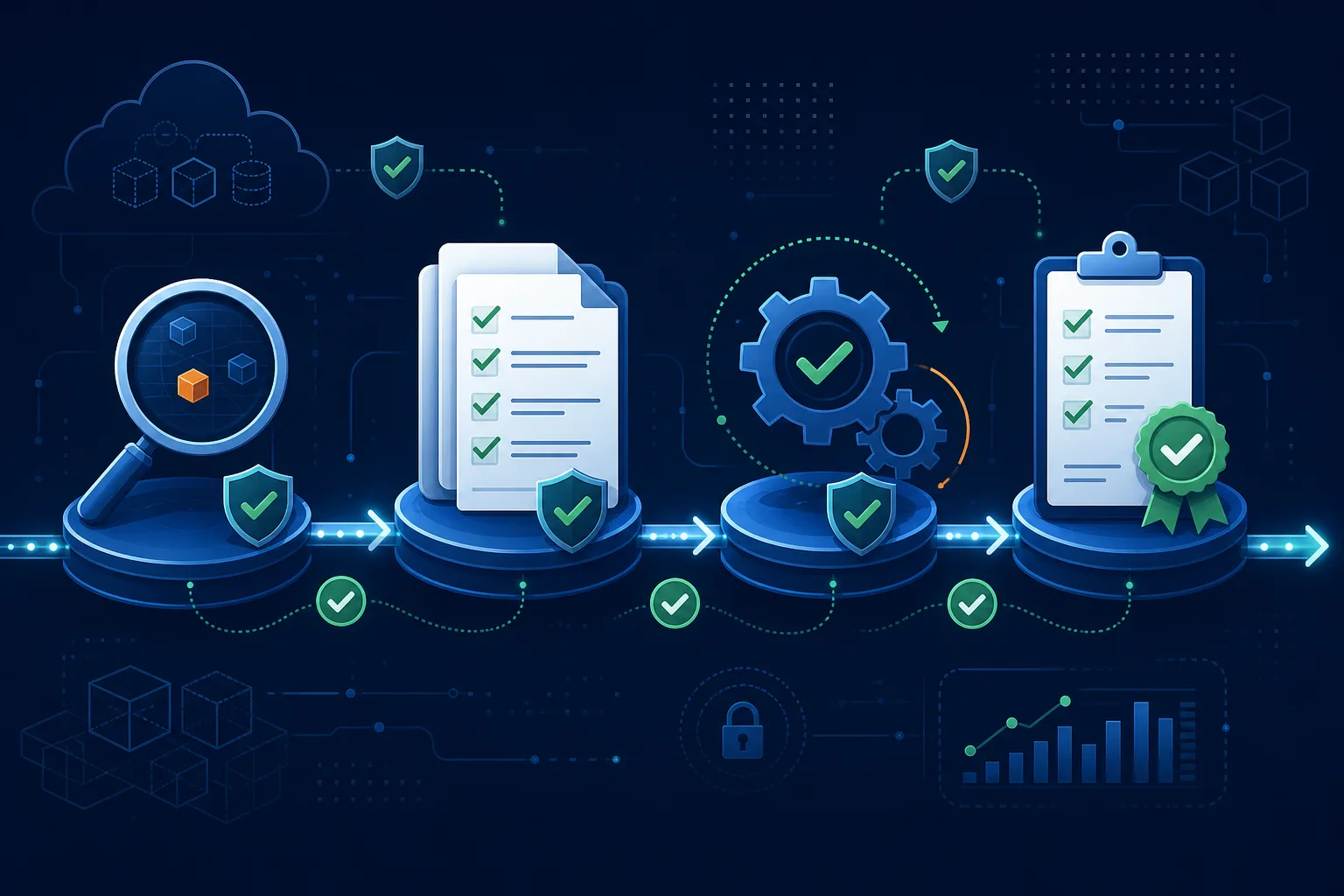
Table of Contents
Security Hub finds the misconfiguration. It does not deploy your rule baseline across 30 accounts, fix the resource, or assemble the evidence package an auditor asks for, and treating it as if it does is why teams still spend the week before an audit taking screenshots. A continuous compliance pipeline has four distinct jobs, each owned by a different AWS service, and the mistake is collapsing them into “we have Security Hub on.” As of June 2026 the building blocks are mature: AWS Config conformance packs (immutable, org-deployable rule bundles), Systems Manager Automation for remediation, and an evidence layer that depends on when you started: conformance-pack exports + Security Hub control status + CloudTrail Lake or Security Lake for new orgs (AWS closed Audit Manager to new customers on 30 April 2026; existing customers keep their support window). This post maps the jobs to the tools and shows where automation helps and where it causes the outage.
This is for security and platform engineers who already run Security Hub and want a pipeline, not more dashboards. We ship a tool-per-job decision matrix and a Config conformance pack with SSM auto-remediation.
The four jobs (and the service that actually does each)
Run the decision matrix; the short version:
1. Detect drift with AWS Config rules (plus Security Hub to aggregate and score)
Config continuously evaluates resources against rules and marks them compliant/non-compliant; Security Hub aggregates findings and scores you against standards. Detection only; neither fixes anything.
2. Deploy rules at scale with Config conformance packs
Package rules + remediation into an immutable YAML bundle and deploy per-account/Region or org-wide via Systems Manager Quick Setup or StackSets. You stop babysitting individual rules per account. Immutability is the point: to change a rule, you redeploy the pack.
3. Remediate the safe class with SSM Automation wired to Config rules
Associate an SSM Automation document with a Config rule and set Automatic: true with retries. Good first candidates are reversible, low-blast-radius fixes: S3 Block Public Access, EBS encryption-by-default, a missing required tag.
4. Prove it with Config and Security Hub evidence (or Audit Manager if already onboarded)
Default for new orgs (after 30 April 2026): export Config conformance-pack compliance state, capture Security Hub control status against your enabled standards, and query CloudTrail Lake or Security Lake for auditable activity. This is the same technical evidence auditors ask for, without starting on a closed product. If you already run Audit Manager: keep assessments running through your support window; it maps evidence to framework controls (GDPR, HIPAA, PCI DSS, and custom) across accounts via Organizations, with cryptographically verifiable reports and reviewer delegation. Honest limit: neither path assesses whether you are compliant; they collect evidence. They kill the manual scramble; they don’t replace the auditor. Full pipeline context: security & compliance hub.
Opinionated take: deploy a conformance pack detect-only first, confirm the findings are real for your environment, and only then enable remediation on the safe subset. Shipping a 200-rule pack with auto-remediation on across prod on day one is how a “compliance improvement” becomes an outage.
What to do this week
- List your recurring compliance findings (the drift you re-find every quarter). That list is your conformance-pack scope.
- Deploy a detect-only conformance pack for the top offenders (start with the S3 example) to one OU.
- Enable auto-remediation on the safe subset only (encryption, public-access blocks, missing tags). Make the documents idempotent.
- If you’re audited against a framework, wire the evidence store now: conformance-pack exports + Security Hub control status + Lake queries for new orgs; keep Audit Manager assessments running only if you onboarded before 30 April 2026.
- Route compliance findings to a hardening backlog, not the pager. Keep paging for incident response.
What this post doesn’t cover
- Security Hub setup and standards selection: see Security Hub compliance monitoring.
- Specific framework implementations: see ISO 27001, PCI DSS, and NIST CSF 2.0.
- Active-threat response (this is configuration hygiene, not incidents): see incident response runbooks.
- Exact managed-rule identifiers, framework availability, and pricing: confirm in the AWS Config, Audit Manager, and Security Hub docs; specifics here are the mid-2026 model.
Related: Security Hub compliance monitoring · Incident response runbooks · CloudTrail production setup · ISO 27001 on AWS · Cloud compliance services · AWS cloud security
If you only do one thing: Take the misconfiguration you re-discover and hand-fix every quarter, put it in a detect-only conformance pack, and enable auto-remediation only once you’ve confirmed the fix is reversible and idempotent. That single loop is the difference between compliance theater and continuous compliance.
Related reading
- AWS KMS Encryption Architecture (2026): The Per-Tenant CMK Trap, the 10,000 req/s Shared Quota, and When AWS-Owned Keys Win
- AWS Resource Hardening Quick Wins: DMS, OpenSearch, SageMaker, and Lambda Runtimes
- How to Protect AWS Infrastructure from Cost-Based Attacks
Frequently asked questions
Isn't Security Hub enough for compliance on AWS?
What is an AWS Config conformance pack?
How does AWS Config auto-remediation work, and what is the gotcha?
What does AWS Audit Manager do that Config and Security Hub do not?
When should we NOT auto-remediate a compliance finding?
How do continuous compliance and incident response relate?

Agentic AI & Cloud Security
Works on making teams more productive with agentic AI. Writes the FactualMinds guides on AWS security and compliance: identity, threat detection, data protection, and audit readiness, the controls AI agents need before they touch production systems.