
AWS Cost Updates, October 2026: 16 Launches Ranked by Bill Impact
Quick summary: Sixteen AWS launches from October 14 to 27, 2026, ranked by what they change on the bill. ECS Gateway still leads (~$394/mo less for 25 services in us-east-1). ECS GPU sharing and GPT-6.1 Terra come next. Five of the sixteen are not cost cuts.
Key Takeaways
- Sixteen AWS launches from October 14 to 27, 2026, ranked by what they change on the bill
- ECS Gateway still leads (~$394/mo less for 25 services in us-east-1)
- ECS GPU sharing and GPT-6.1 Terra come next
- This post now covers two weeks of AWS launches, October 14 to 27, 2026, ranked together by how much they change a monthly bill
- We published the first eight on October 24 from the r/aws "AWS Cost Updates - 2026-10-23" thread
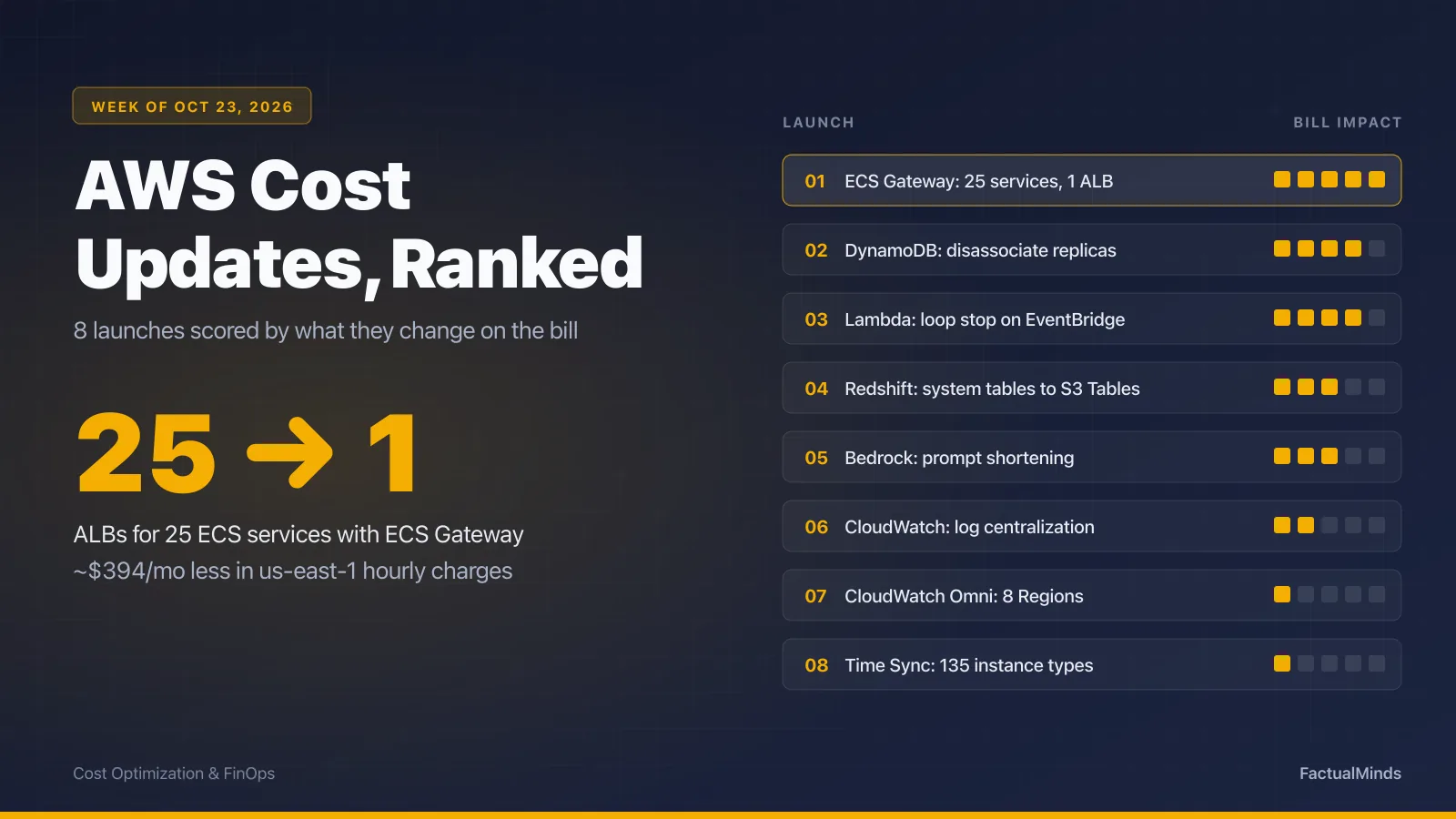
Table of Contents
This post now covers two weeks of AWS launches, October 14 to 27, 2026, ranked together by how much they change a monthly bill. We published the first eight on October 24 from the r/aws “AWS Cost Updates - 2026-10-23” thread. On October 31 we added eight more from October 22 to 27, which circulated as a list of “changes that help you cut costs.” We read each AWS announcement, its documentation, and its pricing page before ranking it.
The biggest single number is unchanged: Amazon ECS Gateway puts up to 25 ECS services on one Application Load Balancer, about $394/month less in us-east-1 hourly charges for a team running 25 services on dedicated ALBs. Two of the new launches come close for the teams they apply to. ECS GPU sharing can take four small inference services from four GPU instances to one. GPT-6.1 Terra on Bedrock lists token prices half those of GPT-6.1 Sol.
Five of the sixteen are not cost cuts, and several others are narrower than their one-line summaries. The corrections are listed near the end.
Source note: every figure below comes from an AWS What’s New post, AWS documentation, an AWS pricing page or Bedrock model card, or the us-east-1 list prices our calculators pulled from the AWS Price List API on October 17, 2026. All are linked inline. Week 1 was checked on October 24, 2026 and week 2 on October 31, 2026. None of it comes from a client engagement.
Ranking of all sixteen launches
| # | Launch | Date | Who saves | Bill effect |
|---|---|---|---|---|
| 1 | ECS Gateway: up to 25 services per ALB | Oct 20 | Teams with one ALB per ECS service | ~$16.43/mo hourly charge removed per ALB retired |
| 2 | ECS GPU sharing with NVIDIA MPS | Oct 27 | Teams running small GPU inference services | Several tasks per GPU instead of one GPU each |
| 3 | GPT-6.1 Terra on Bedrock | Oct 26 | Teams on GPT-6.1 Sol or GPT-5.6 Terra | Token prices at least 50% lower than those two |
| 4 | EMR on EKS: EMR charge cut 30% | Oct 23 | Everyone running EMR on EKS | Automatic; EMR charge only, not compute |
| 5 | DynamoDB global tables: disassociate a replica | Oct 20 | Teams with replicas they no longer need | Replica bills as a single-Region table |
| 6 | Lambda loop detection for EventBridge custom buses | Oct 14 | Everyone on EventBridge custom buses | Caps a runaway loop at ~16 invocations |
| 7 | Redshift system tables to S3 Tables (4 more Regions) | Oct 15 | Teams running custom log-export jobs | Writes free; pay S3 Tables storage + queries |
| 8 | Bedrock prompt shortening | Oct 20 | Teams with long, reused prompt templates | Fewer input tokens per call, after an offline job |
| 9 | Transit Gateway and Cloud WAN 1:1 NAT | Oct 23 | Teams running NAT appliances for overlaps | Paid add-on; replaces appliances, may cost more |
| 10 | ElastiCache for Valkey: change durability in place | Oct 27 | Teams that need to switch durability | Avoids a parallel cluster; sync writes cost +18% |
| 11 | CloudWatch log centralization (GovCloud + 13 Regions) | Oct 16 | Multi-account orgs in those Regions | First copy free, extra copies $0.05/GB |
| 12 | Aurora Serverless PostgreSQL up to 384 ACUs | Oct 27 | Nobody directly | More headroom, same ACU-hour price |
| 13 | Neptune online index rebuild | Oct 27 | Nobody directly | Space reused; billed storage does not shrink |
| 14 | OpenSearch Serverless 5-second default refresh | Oct 22 | Nobody directly | No pricing change |
| 15 | CloudWatch Omni (8 more Regions) | Oct 19 | Nobody directly | New paid product |
| 16 | Time Sync on 135 more EC2 instance types | Oct 15 | Nobody directly | No pricing component |
We ranked by recurring dollars first, then by how many AWS accounts the change applies to. A launch that removes a fixed hourly charge beats one that trims a variable charge, and both beat one that guards against a rare event. Loop detection ranks sixth despite saving nothing on a normal month, because the month it fires is the month that matters. GPU sharing and GPT-6.1 Terra can save more per account than ECS Gateway, but they apply to fewer accounts, and both need testing before the saving is real.
Week of October 30: launches from October 22 to 27
ECS GPU sharing: several inference tasks on one GPU
Why it matters: a small inference model that needs 5 GB of GPU memory still reserved a whole GPU on ECS. A team running four such services paid for four GPU instances.
GPU sharing with NVIDIA MPS (October 27, 2026) lets several containers share one physical GPU. Per the ECS documentation, you add a sharingStrategy of nvidiaMps to a container’s GPU resourceRequirements, with a required memory value in MiB and an optional maxComputePercent from 1 to 100. It runs on ECS Managed Instances and ECS on EC2 (container agent 1.107.0 or later, ECS GPU-optimized AL2023 AMI 20261019 or later) with G4dn, G5, G6, G6e, G7, G7e, P3, P4d, P5, P5e, P5en, and P6-B200 instances. Neither the announcement nor the documentation lists a charge for the feature.
The math at the us-east-1 On-Demand price for g5.xlarge (one NVIDIA A10G with 24 GB, $1.006 per hour from the AWS Price List API on October 17, 2026), for four services that each need 5 GB of GPU memory and one vCPU:
| Setup | g5.xlarge instances | Monthly (730 h) |
|---|---|---|
| One GPU per task | 4 | $2,937.52/mo |
| Four tasks on one GPU with MPS | 1 | $734.38/mo |
| Difference | ~$2,203/mo |
That example assumes the four models fit in 24 GB together and that their combined compute load fits one A10G. If they are busy at the same time, latency rises before the bill falls.
The catch is isolation. The documentation says “MPS is software-level sharing and all containers on a GPU share the same CUDA context,” and a fatal GPU error in one container can affect the others on that GPU. ECS “places tasks based on GPU memory only, so it doesn’t account for compute,” and maxComputePercent “is a ceiling, not a guaranteed reservation.” Tasks from different services on the same capacity provider can land on the same GPU, so use separate capacity providers for workloads that must not share.
When not to use it: Fargate, ECS Express Mode, and managed daemon tasks are not supported. Skip it for latency-critical models that need predictable GPU compute, and for containers that run more than one GPU process, which can exceed their configured memory.
Action: the audit script lists task definitions that reserve whole GPUs. Price your current fleet in the ECS pricing calculator.
GPT-6.1 Terra on Bedrock: half the token price of two named models
Why it matters: token charges scale with volume. On a high-volume path, halving the per-token price halves that line of the bill.
GPT-6.1 Terra reached Bedrock on October 26, 2026. AWS describes it as offering “balanced performance with input and output token prices at least 50% lower than those of GPT-6.1 Sol and GPT-5.6 Terra.” Prices from the Bedrock model cards, Standard tier, US cross-Region inference, per million tokens:
| Model | Input | Output | 1B input + 200M output per month |
|---|---|---|---|
| GPT-6.1 Terra | $1.10 | $5.50 | $2,200 |
| GPT-6.1 Sol | $2.20 | $11.00 | $4,400 |
| GPT-5.6 Terra | $2.20 | $13.20 | $4,840 |
Input is exactly half of both comparators; output is half of GPT-6.1 Sol and about 58% below GPT-5.6 Terra. Global cross-Region inference is slightly cheaper ($1.00 / $5.00). Prompts over 272K input tokens bill at the long-context rate ($2.20 / $8.25). Per the model card, the model ID is openai.gpt-6.1-terra, the context window is 1,050,000 tokens, and only the Standard tier is offered: “Priority and Flex tiers are not supported for this model.” In-Region (non-cross-Region) inference is limited to us-east-1 on the bedrock-mantle endpoint.
The catch: Terra is a smaller tier than Sol, not a cheaper copy of it. Run your evaluation set against it before switching a production path. If quality drops, the cost moves to retries or to people fixing answers. Our GPT-6 Sol and Luna routing guide covers which requests can move to a cheaper lane. Price your own volume in the Bedrock token cost calculator.
EMR on EKS: the EMR charge drops 30%, automatically
Why it matters: EMR on EKS bills an EMR charge per vCPU-hour and per GB-hour on top of the EC2 and EKS cost of the pods. For a team running Spark on EKS around the clock, that charge is a steady monthly line.
AWS cut the EMR charge by 30% on October 23, 2026. It “applies to both the per-vCPU-hour charge and the per-GB-hour charge, while the underlying Amazon EKS charges remain unchanged,” and “automatically applies to your EMR on EKS workloads with no additional action required.” The EMR pricing page now uses $0.007084 per vCPU-hour and $0.000777875 per GB-hour in its us-east-1 example. The page does not show the old rate. Dividing by 0.7 gives $0.01012 and $0.00111125.
For a job fleet averaging 100 vCPUs and 400 GB of memory for 730 hours:
| Rate | vCPU charge | Memory charge | EMR charge per month |
|---|---|---|---|
| Before | $738.76 | $324.49 | $1,063.25 |
| After | $517.13 | $227.14 | $744.27 |
| Saving | ~$319/mo |
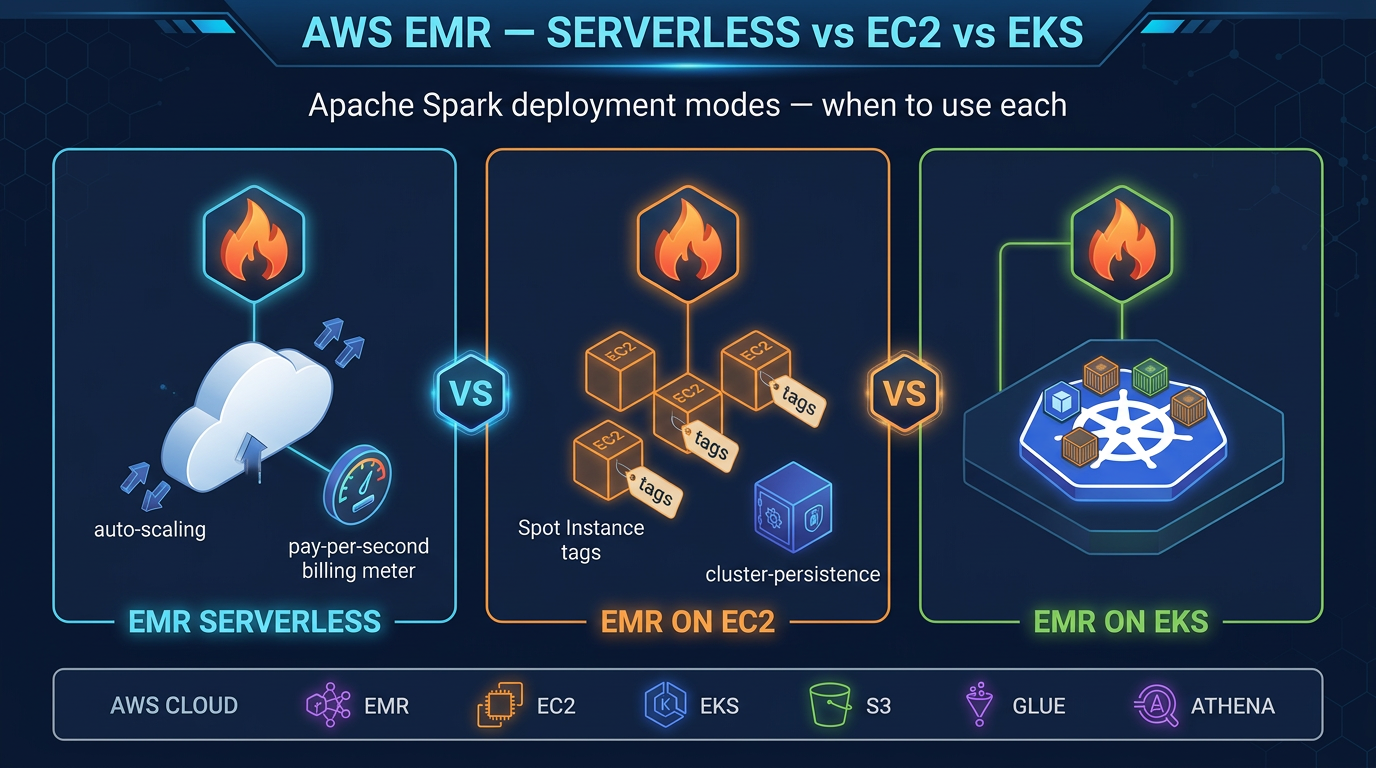
The catch: EC2 or Fargate compute is usually the larger part of an EMR on EKS bill, and it does not change. If you were choosing between EMR Serverless, EMR on EC2, and EMR on EKS, this narrows the gap. Rerun the comparison in our EMR deployment cost guide or the EMR pricing calculator rather than assuming EKS now wins.
Transit Gateway and Cloud WAN 1:1 NAT: fewer appliances, not always a lower bill
Why it matters: when two networks use overlapping IP ranges, for example after an acquisition or with a partner, teams have routed traffic through NAT appliances on EC2 that they must patch, scale, and keep highly available.
Since October 23, 2026, Transit Gateway and Cloud WAN can apply one-to-one NAT on VPC, Site-to-Site VPN, Direct Connect, and Transit Gateway Connect attachments, with “no separate return-traffic rule and no NAT appliance to deploy.” It is not free. The Transit Gateway pricing page says: “Managed 1:1 NAT on Transit Gateway is a paid add-on feature, billed at standard Regional NAT Gateway hourly and data processing rates.” The Cloud WAN page says the same.
At the us-east-1 NAT Gateway rates ($0.045 per hour per AZ and $0.045 per GB), for 5 TB a month of translated traffic across two AZs, compared with two c7g.large EC2 NAT instances ($0.0725 per hour each):
| Setup | Hourly charge | Processing | Monthly |
|---|---|---|---|
| Managed 1:1 NAT, 2 AZs | $65.70 | $230.40 | $296.10 |
| Two c7g.large NAT instances | $105.85 | none | $105.85 |
The managed option costs less in hourly charges and more per GB. Past about 890 GB a month of translated traffic, two small NAT instances cost less on the bill. The comparison leaves out the engineering time to run those instances, any third-party appliance licence, and Transit Gateway attachment and processing charges, which apply either way. Model your traffic in the Transit Gateway pricing calculator and the NAT Gateway pricing calculator.
ElastiCache for Valkey: switch durability without a new cluster
Why it matters: “previously, you couldn’t change the durability configuration of an existing cluster in place.” Turning durability on or off meant building a second cluster, moving data, and paying for both while you did it.
As of October 27, 2026, you can enable or disable durability on existing node-based ElastiCache for Valkey clusters running Valkey 9.0 or later. Durability, per the ElastiCache pricing page, “provides data protection through a Multi-AZ transactional log.” The announcement does not state whether the change causes downtime; test it on a non-production cluster first.
Cost: “there is no additional cost for asynchronous writes. Synchronous writes are priced at 18% on top of the standard node-hour price for node-based ElastiCache clusters.” Asynchronous mode can lose “up to 10 seconds of uncommitted data” in a rare failure. For three cache.r7g.large Valkey nodes at $0.1752 per hour in us-east-1, that is $383.69/month without synchronous durability and $452.75/month with it, $69.06 more. The saving from this launch is the parallel cluster you no longer build, which lasts as long as your migration would have. See our Valkey cost guide and the ElastiCache pricing calculator.
Aurora Serverless, Neptune, and OpenSearch Serverless: not cost cuts
Aurora Serverless PostgreSQL now scales to 384 ACUs (October 27, 2026), up from 256, which is about 768 GiB of memory. It needs Aurora PostgreSQL 18.4, 17.10, 16.14, 15.18, or 14.23 on Platform Version 4. The ACU price does not change ($0.12 per ACU-hour for Aurora Standard in us-east-1), so an hour at the new ceiling costs $46.08 against $30.72 at the old one. The launch helps a team that moved to provisioned instances only because 256 ACUs was too small. For everyone else, raising MaxCapacity raises the most a bad query can cost. Set it on purpose. Sizing help: the Aurora pricing calculator.
Neptune online index rebuild launched October 27, 2026 for engine 1.5.0.0 and later on provisioned writer instances. It compacts indexes while the database stays online. The billing part of the summary does not hold. The Neptune storage documentation says “you are charged for space allocated,” and after you remove data “the total allocated space remains the same.” The rebuild reclaims space for reuse in place, so the volume grows more slowly afterward. It does not shrink a bill at $0.10 per GB-month. Expect “a small performance impact on queries” and retryable CancelledByMaintenanceException errors while it runs.
OpenSearch Serverless lowered its default refresh interval from 10 seconds to 5 seconds on October 22, 2026, for search and vector collections in the next generation of the service. New documents become searchable sooner. AWS states no pricing or OCU change, so it is a speed improvement, not a saving. For the cost side of OpenSearch, see serverless vs provisioned search.
Week of October 23: launches from October 14 to 20
ECS Gateway: 25 services, one load balancer
Why it matters: an ALB bills an hourly charge whether it serves one request or a million. Teams that give every ECS service its own ALB pay that charge once per service.
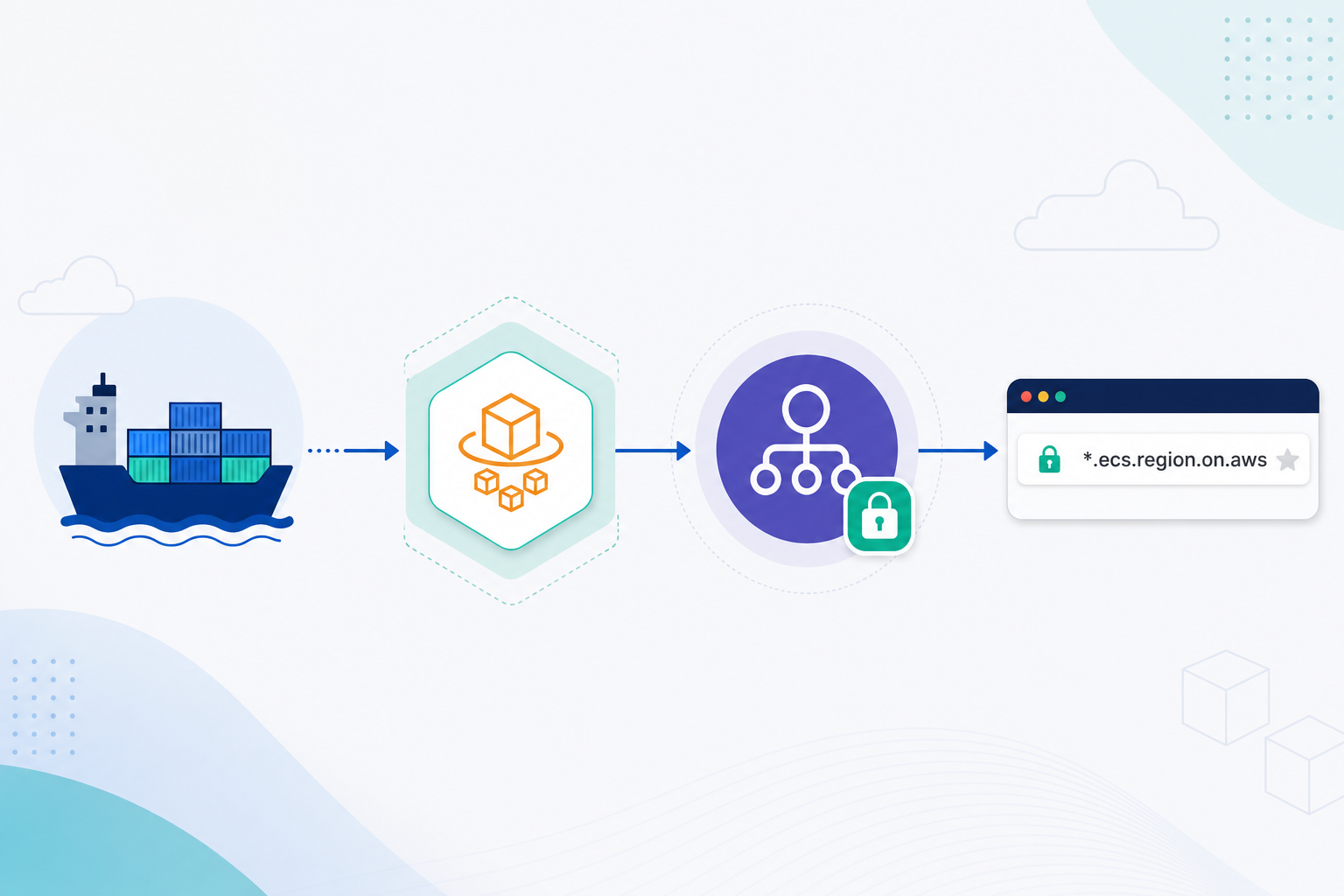
Amazon ECS Gateway (October 20, 2026) is a managed ingress layer for standard ECS services. Per the ECS Gateway documentation, it creates one shared ALB, listener, and load balancer security group, plus a per-service ACM certificate, DNS hostname (<unique-id>.ecs.<region>.on.aws), listener rule, target group, and service security group. “Up to 25 services share one Application Load Balancer.” The gateway itself has no charge; you pay for the ALB, CloudWatch, and data transfer it provisions.
The math at us-east-1 list prices (ELB pricing: $0.0225 per ALB-hour, $0.008 per LCU-hour):
| Setup | ALBs | Hourly charge (730 h) | LCU charge |
|---|---|---|---|
| 25 services, dedicated ALBs | 25 | 25 × $16.43 = $410.63/mo | Per ALB, on its busiest dimension |
| 25 services, ECS Gateway | 1 | $16.43/mo | One ALB, on the combined traffic |
| Difference | ~$394/mo, ~$4,730/yr | Depends on traffic (see below) |
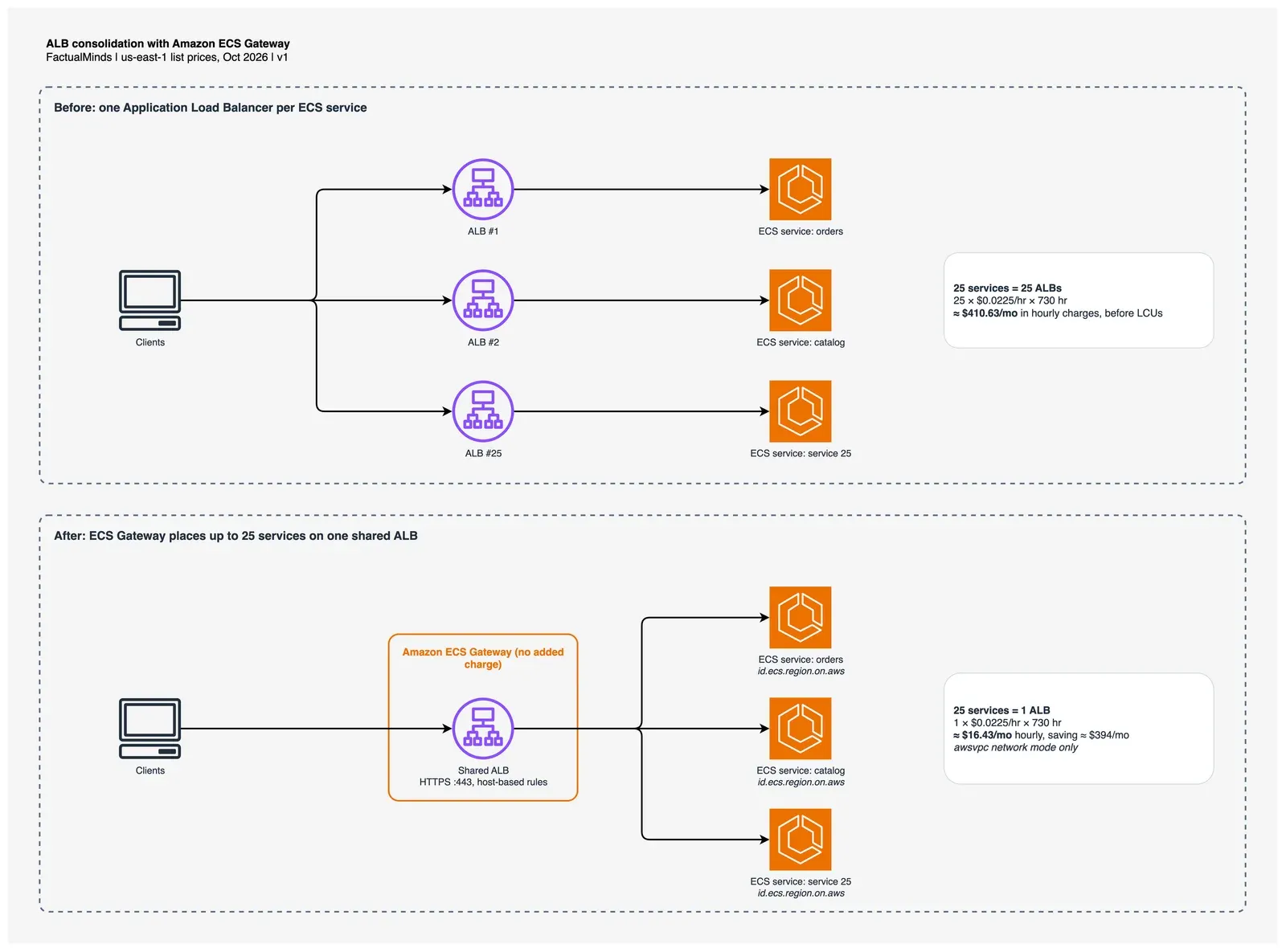
Figure: one ALB per service (top) versus ECS Gateway with host-based rules on a shared ALB (bottom). Open the draw.io source.
The catch is rule evaluations. An LCU covers 1,000 rule evaluations per second, and the first 10 processed rules per request are free. Twenty-five services on one ALB means 25 host rules. If an average request is checked against all 25 before it matches, that is 15 billable rule evaluations per request. At a sustained 100 requests/second that adds 1.5 LCU per hour, about $8.76/month. At 1,000 requests/second it adds about $87.60/month. ALB bills only the highest of its four LCU dimensions, so this matters only when rule evaluations exceed processed bytes and connections. For most fleets of small internal services, the hourly savings win by a wide margin. For one high-traffic edge ALB, model it first in our ELB pricing calculator.
How it differs from ECS Express Mode. We covered ECS Express Mode in June, which also shares an ALB across up to 25 services. The gateway docs state that “a gateway does not work with Express Mode services.” ECS Gateway brings ALB sharing to the standard ECS services most teams already run. Per the launch blog, an existing service with its own load balancer can move incrementally by calling UpdateService to add a gateway connector.
When not to use it:
- The service does not use the
awsvpcnetwork mode (bridge and host mode are out). - The service needs a listener other than HTTPS on port 443.
- The gateway and cluster are in different accounts.
- You need more ALBs than your
maxAlbCountallows. The launch blog says ECS creates a new ALB when existing ones are full, up tomaxAlbCount(default 10), and the deployment fails past that limit.
Action: run the audit script to count ALBs that front exactly one ECS service. Each one you retire removes $16.43/month in us-east-1.
DynamoDB: disassociate a global table replica, keep the data
Why it matters: each replica in a DynamoDB global table bills for its own storage and for replicated writes. Until October 20, 2026, removing a Region from a global table meant deleting that replica and its data.
Disassociation stops replication to and from one replica and leaves it as a single-Region table with the same name, ARN, data, indexes, Streams, TTL, backups, encryption, billing mode, and table class. Per the documentation, “the table is billed as a single-Region table” from then on. With three or more replicas the rest stay a global table. With two, both become single-Region tables.
Useful cases: a Region you added for a migration and never removed, a disaster-recovery replica your RTO no longer requires, or a regional data-residency copy that should stop receiving writes from elsewhere.
AWS CLI v2, from the DynamoDB documentation. Protection is on by default, so turn it off first, then disassociate:
aws dynamodb update-table --table-name Music --region us-west-2 \
  --no-disassociation-protection-enabled

aws dynamodb update-table --table-name Music --region us-west-2 \
  --replica-updates '[{"Disassociate":{"RegionName":"us-west-2","DisassociationMode":"WAIT_FOR_REPLICATION"}}]'
The catch: it is one-way. You cannot reattach the table to the global table it left. It works only for multi-Region eventual consistency (MREC) tables on version 2019.11.21, not MRSC or legacy 2017.11.29 tables. A replica must be ACTIVE, and one that served as the source for a new replica in the last 24 hours cannot be disassociated. Estimate the before and after with the DynamoDB pricing calculator, and read our DynamoDB pricing breakdown for how replicated writes are billed.
Lambda recursive loop detection now covers EventBridge custom buses
Why it matters: a Lambda function that writes an event back to the bus that triggers it will invoke itself until something stops it. Each invocation bills, and so does each event.
As of October 14, 2026, Lambda’s loop detection covers EventBridge custom event buses in every commercial Region where they are available. It is on by default and needs no configuration. Per the Lambda documentation, “if your function is invoked approximately 16 times in the same chain of requests, then Lambda automatically stops the next function invocation.” The stopped event goes to your dead-letter queue or on-failure destination if one is configured, and an AWS Health Dashboard notification follows. The RecursiveInvocationsDropped metric counts the drops.
Supported loop paths now include SQS, S3, SNS, EventBridge custom buses, and Lambda itself.
Action: check which functions have opted out. Default is Terminate; any function set to Allow has loop protection turned off.
AWS CLI v2. Replace the function name:
aws lambda get-function-recursion-config --function-name order-events-handler
# {"RecursiveLoop": "Terminate"}
Redshift system tables kept past 7 days, without a pipeline
Why it matters: Redshift SYS_* views keep about 7 days of history. Teams that need query history for chargeback, audit, or performance trends have built their own export jobs, and those jobs cost compute and maintenance.
Long-term retention to Amazon S3 Tables (in Apache Iceberg format) reached four more Regions on October 15, 2026: Asia Pacific (New Zealand), Canada West (Calgary), and both AWS GovCloud (US) Regions. The Redshift documentation lists about 40 SYS_* views you can publish, including SYS_QUERY_HISTORY, SYS_QUERY_TEXT, and SYS_CONNECTION_LOG.
AWS CLI v2, provisioned RA3 cluster, from the Redshift documentation:
aws redshift enable-logging --cluster-identifier my-redshift-cluster \
  --log-destination-type s3table --log-exports all --s3-table-granularity account
Cost: “Writing system table data to S3 Tables is free.” You pay S3 Tables storage and maintenance (the S3 pricing page lists $0.0265 per GB-month for the first 50 TB in US West (Oregon)) and the engine that reads it, such as Athena or Redshift. The catch: Redshift sets no retention policy, so data is kept indefinitely until you add an S3 Tables record expiration policy. Set one on day one, or this item slowly grows instead of shrinking. Sizing help: Redshift Serverless vs provisioned and the Redshift pricing calculator.
Bedrock prompt shortening: opt-in and offline
Why it matters: input tokens are billed on every call. A shorter system prompt reused across millions of calls is a permanent discount.
Prompt shortening (October 20, 2026) is an option inside Bedrock Advanced Prompt Optimization, which runs as a job that rewrites your prompt templates. Per the documentation, it is off by default. You enable it per template with "shortenPrompt": true inside optimizationConfig in the input JSONL. The optimized prompt is returned only if it is shorter and scores at least as high on your evaluation; otherwise you get the original back with a compressionRatio of 1.0. AWS’s example: a compression ratio of 0.7 means 30% fewer tokens. That is an example, not a typical result.
Cost: the optimization job is billed as on-demand standard-tier tokens, per the Bedrock pricing page. The documentation lists the limits as “no exact token budget,” “no per-section compression control,” and “short prompts may not compress.” It pays off for long system prompts on high-volume paths. Price your current input tokens in the Bedrock token cost calculator before running the job, and see our Bedrock token budget guide, which covers prompt caching, a larger lever for repeated prefixes.
CloudWatch log centralization reaches GovCloud and 13 more Regions
Why it matters: multi-account organizations often copy logs into one account with subscription filters and Firehose, and they pay for that pipeline.
As of October 16, 2026, CloudWatch log centralization is available in AWS GovCloud (US-East and US-West) and 13 more commercial Regions, including Africa (Cape Town), Asia Pacific (Hyderabad, Jakarta, Malaysia, Melbourne), Europe (Milan, Spain, Zurich), Israel (Tel Aviv), and Middle East (Bahrain, UAE). The announcement states that “customers can centralize one copy of logs for free; additional copies are charged at $0.05/GB.” If you run a custom log-copy pipeline in one of these Regions, compare its monthly cost with one free native copy. More on CloudWatch line items: CloudWatch pricing breakdown.
CloudWatch Omni and Time Sync: not cost launches
CloudWatch Omni reached eight more Regions on October 19, 2026: Canada (Central), Mumbai, Singapore, Sydney, Tokyo, Frankfurt, London, and São Paulo. It is a paid product. The Omni pricing page lists $0.50 per GB to ingest application logs in US East (N. Virginia) and $1,000 in free credits for 30 days. It may save engineering time; it adds a line to the bill.
Amazon Time Sync now offers microsecond-accurate time on 135 more EC2 instance types across 12 families (C8a, C8i, M8i, R8a, X8i, C9g, M9g, and others), enabled through a Precision Time Placement Group. It matters for trading, distributed databases, and log ordering. It has no pricing component.
Where the summaries overstate
Both source lists are useful weekly digests, and their one-liners compress some details too far.
Week of October 30 list:
- “Neptune… lowers your storage bill after large deletions.” Neptune bills allocated storage, and allocated space does not shrink. The rebuild frees space for reuse.
- “You do not have to pay for… third-party EC2 NAT instances.” True, but the managed 1:1 NAT is a paid add-on at NAT Gateway rates, and at high traffic it can cost more than the instances it replaces.
- “Token pricing at least 50 percent lower than earlier comparable models.” AWS compares it with two named models, GPT-6.1 Sol and GPT-5.6 Terra, not with earlier models in general.
- “Handle larger database spikes on serverless.” Correct, at the same ACU-hour price. More headroom can mean a larger bill.
- “Faster search indexing at zero extra cost.” Correct, and it is a speed change rather than a cost cut. It covers search and vector collections only.
- “Save 30 percent on EMR data jobs.” The 30% applies to the EMR charge, not to the EC2 and EKS compute that makes up most of the job’s cost.
- “Share one GPU across multiple tasks.” Correct on ECS on EC2 and Managed Instances. Not on Fargate, and the tasks share one CUDA context.
Week of October 23 thread:
- “Bedrock now shrinks your text prompts automatically.” It does not touch live requests. It is an opt-in setting in an offline optimization job that rewrites templates, and the job bills tokens.
- “Lambda… stops them before you get a huge surprise bill.” It stops loops through SQS, S3, SNS, EventBridge custom buses, and Lambda. Loops through DynamoDB Streams still run.
- “Up to 25 ECS services can share a single load balancer.” True for
awsvpcservices on HTTPS 443 in the same account, and not for Express Mode services, which already shared ALBs. - “You stop paying for cross-region copying.” Correct, and it cannot be undone. MREC tables only.
- “Redshift keeps system logs longer without custom code.” Correct for the four new Regions, and storage is billed with no expiry unless you set one.
- CloudWatch Omni and Time Sync appear in a cost list but do not reduce costs.
Reproduce the audit
The script prices ALBs at ALB_HOURLY=0.0225. Set that variable for Regions other than us-east-1.
What to do this week
- Run the audit script in each production Region. It takes a few minutes and tells you which of the launches above apply.
- Pick one low-traffic
awsvpcservice behind its own ALB and move it to ECS Gateway withUpdateService. Watch the old ALB’s request count reach zero, then delete it. - If you run small GPU inference services on ECS on EC2, add up their GPU memory. If two or more fit on one GPU, test MPS sharing on a separate capacity provider first.
- If you call GPT-6.1 Sol or GPT-5.6 Terra, run your evaluation set against GPT-6.1 Terra before moving traffic.
- Find any Lambda function set to
Allowand confirm someone chose that on purpose. - List global table replicas and ask the owning team whether each Region is still required for latency or recovery. Disassociate only after that conversation, because it is permanent.
- If you export Redshift system tables with a custom job in one of the four new Regions, switch to S3 Tables and set an expiration policy the same day.
- Before raising an Aurora Serverless cluster to 384 ACUs, set a CloudWatch alarm on
ServerlessDatabaseCapacityso the new ceiling does not go unnoticed.
If you want help sizing these changes across a multi-account organization, our FinOps consulting team runs this kind of review.
What this post doesn’t cover
- Other Regions’ prices. Dollar math uses us-east-1 list prices (ALB, EC2, NAT Gateway, Aurora, ElastiCache, EMR on EKS), US West (Oregon) for S3 Tables, and US cross-Region inference for Bedrock. Check your Region.
- Savings Plans, Reserved capacity, and EDP discounts. None of these launches interact with commitments, but your effective rates may differ from list. GPU instances under a Savings Plan change the MPS math.
- DynamoDB replicated-write math for your table. It depends on write volume, item size, and capacity mode. Use the calculator linked above.
- ECS Gateway migration details such as DNS cutover from existing custom domains and certificate handling for your own hostnames.
- GPT-6.1 Terra quality. We have not benchmarked it. AWS’s price comparison says nothing about whether it handles your prompts as well as Sol.
- Launches from the same two weeks that were not in either list, such as other Bedrock model and Guardrails updates.
Frequently asked questions
Which of the October 2026 AWS cost launches saves the most money?
Is GPT-6.1 Terra on Bedrock really 50% cheaper?
Does Neptune online index rebuild lower my storage bill?
Is Transit Gateway 1:1 NAT free?
Do I need to do anything to get the EMR on EKS price cut?
Does turning on ElastiCache durability cost more?
Does turning on ECS GPU sharing need Fargate?
Do I need to turn on Lambda recursive loop detection for EventBridge custom buses?
What could go wrong when I disassociate a DynamoDB global table replica?
Which October 2026 launches are not cost savings?
How do I find which of these launches apply to my account?

AWS Cloud Architect & AI Expert
AWS-certified cloud architect and AI expert with deep expertise in cloud migrations, cost optimization, and generative AI on AWS.
 Manoj V.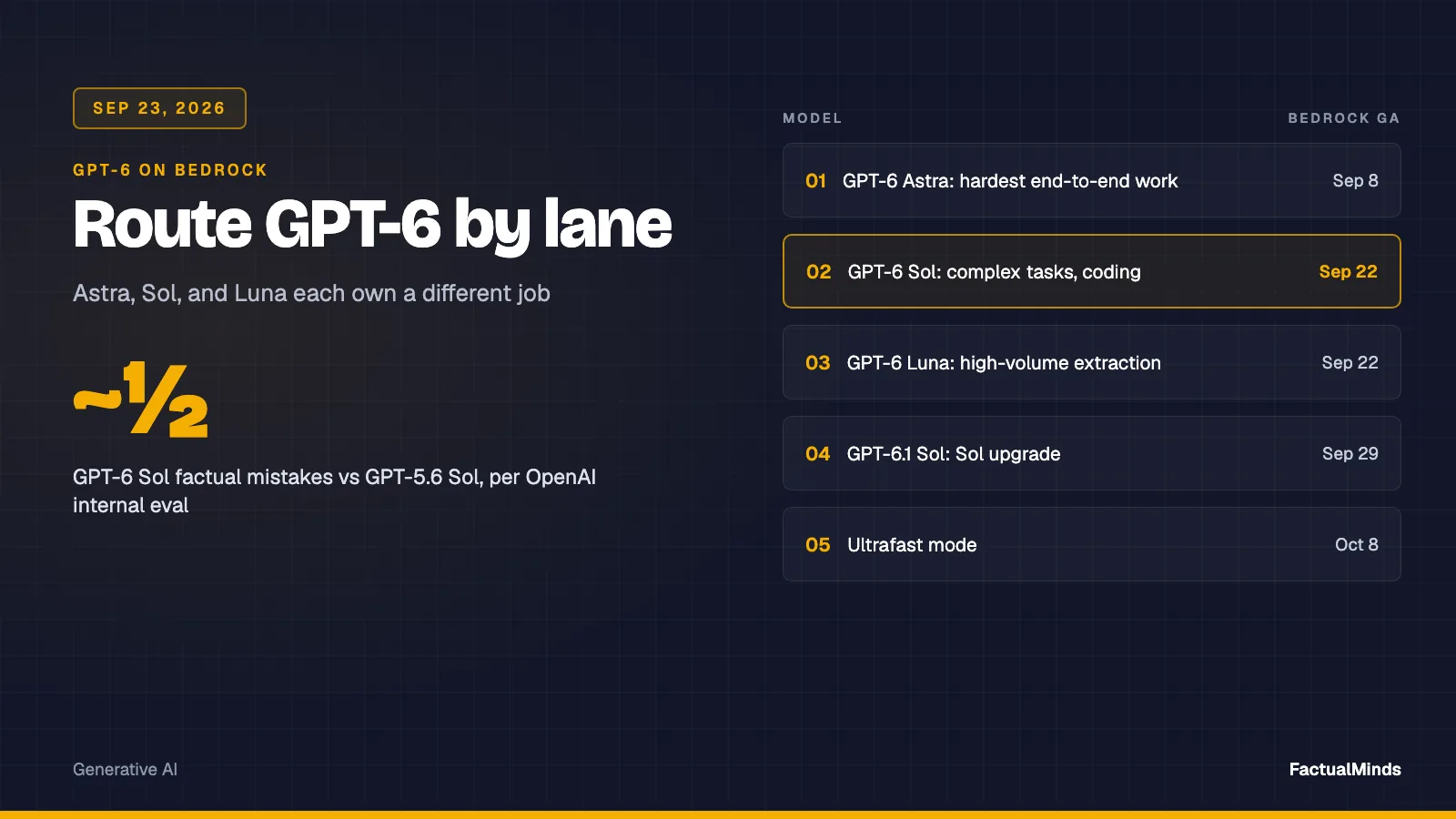

 Kevin W.