AWS Graviton: The Complete Cost Optimization Guide for Production Workloads
Quick summary: AWS Graviton processors deliver 20-40% cost savings and better performance-per-watt. Covers the migration path, performance benchmarks, and production deployment patterns.
Key Takeaways
- AWS Graviton processors deliver 20-40% cost savings and better performance-per-watt
- Covers the migration path, performance benchmarks, and production deployment patterns
- Graviton4: 30% better performance at 20% lower cost AWS Graviton processors are custom ARM chips designed by Amazon, and they are becoming the default choice for cost-conscious infrastructure teams
- This guide covers the economics, migration path, and production deployment patterns for Graviton
- Graviton processor lineup AWS has released five generations of Graviton
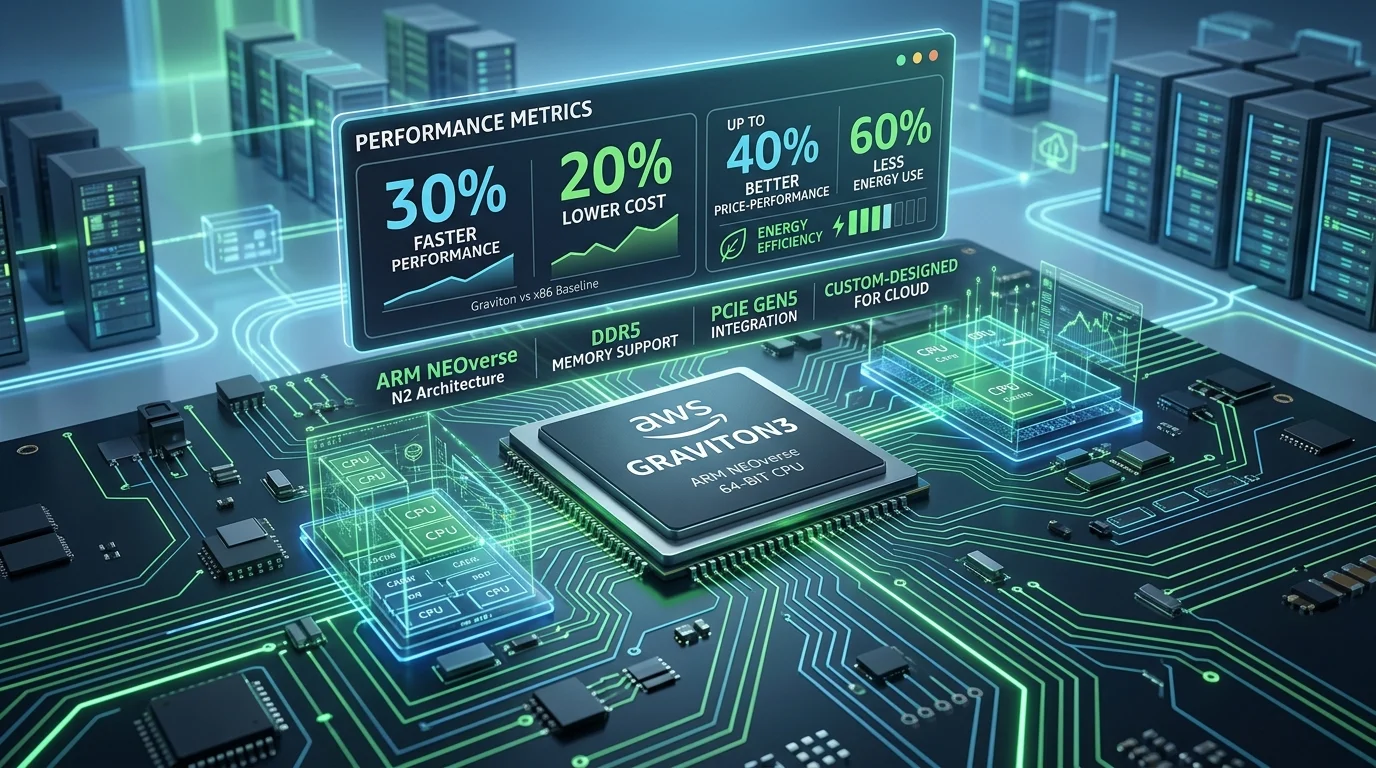
Table of Contents
Graviton4: 30% better performance at 20% lower cost
AWS Graviton processors are custom ARM chips designed by Amazon, and they are becoming the default choice for cost-conscious infrastructure teams. Graviton4 (released 2024) delivers:
- 30% better performance than equivalent x86 processors (Intel, AMD)
- 20-40% cost savings on EC2 instances
- Better power efficiency: 30% less power per compute unit
- Scale: deployed across billions of AWS workloads
For organizations running Java, containerized workloads, or open-source stacks, Graviton often requires zero code changes. Just launch a Graviton instance and run your existing containers.
This guide covers the economics, migration path, and production deployment patterns for Graviton.
Graviton processor lineup
AWS has released five generations of Graviton. Graviton4 (released 2024) remains widely deployed; Graviton5 is the target for new fleets in supported Regions: M9g/M9gd (GA June 10, 2026) for general-purpose and C9g/C9gd (GA June 30, 2026) for compute-optimized.
| Generation | EC2 Instance Family | Year | Key Feature | Price vs x86 |
|---|---|---|---|---|
| Graviton1 | A1 (older) | 2018 | Baseline ARM design | -10% |
| Graviton2 | m6g, r6g, c6g | 2020 | Better performance | -20% |
| Graviton3 | m7g, r7g, c7g | 2022 | 3x performance, better crypto | -25% |
| Graviton4 | m8g, r8g, c8g, t8g | 2024 | 30% faster, better power | -20 to -40% |
| Graviton5 | m9g, m9gd (GA Jun 10); c9g, c9gd (GA Jun 30); r9g (TBD) | 2026 | ~25% compute over Graviton4 | -20 to -40% |
Recommendation: In GA Regions (us-east-1, us-east-2, us-west-2, eu-central-1), run an M9g canary before net-new M8g purchases for balanced app/API fleets (see our M9g Graviton5 field guide). For CPU-bound workloads (batch, video encode, HPC, CPU ML inference, agentic CPU loops), canary C9g (or C9gd when you need local NVMe scratch) before buying new C8g commitments: AWS C9g announcement and the C8g→C9g canary checklist. Use Graviton4 (m8g, r8g, c8g) where RI lock-in or Region availability still applies.
Cost analysis: how much can you save?
Scenario 1: mid-market SaaS running Java
Current state:
- 10 × m5.xlarge (x86, 4 vCPU, 16GB RAM)
- Monthly cost: $1,402/month ($0.192/hour, us-east-1 on-demand list)
After Graviton migration:
- 10 × m8g.xlarge (Graviton4, 4 vCPU, 16GB RAM)
- Monthly cost: $1,310/month ($0.17952/hour, us-east-1 on-demand list)
- Savings: $91/month ($1,093/year), about 6.5% at list price
Cost per vCPU:
- m5.xlarge: $35.04/month per vCPU
- m8g.xlarge: $32.76/month per vCPU
- Savings: about 6.5%
Like-for-like, the list-price discount is small. The larger savings come only if Graviton4’s higher per-core performance lets you run fewer or smaller instances, so benchmark your workload before you size the fleet.
Scenario 2: enterprise running microservices (ECS/Kubernetes)
Current state:
- 50 × c5.2xlarge (x86, 8 vCPU, 16GB RAM) for container workloads
- Monthly cost: $12,410/month ($0.34/hour list)
After Graviton migration:
- 50 × c8g.2xlarge (Graviton4, 8 vCPU, 16GB RAM)
- Monthly cost: $11,645/month ($0.31904/hour list)
- Savings: $765/month ($9,180/year) at the same instance count
Scenario 3: data processing pipeline (batch and Lambda alternatives)
Current: 20 × r5.4xlarge (memory-optimized, x86) After: 20 × r8g.4xlarge (Graviton4)
- Savings: about 6.5% on compute at list price ($955/month: $14,717 down to $13,761)
Performance comparison: Graviton4 vs. x86
Benchmark 1: Java throughput (Spring Boot)
Graviton4 (m8g.2xlarge):   45,000 requests/sec
Xeon (m5.2xlarge):          34,500 requests/sec
EPYC (m6i.2xlarge):         35,200 requests/sec

Winner: Graviton4 (+30% throughput at lower cost)
Benchmark 2: Python data processing (NumPy, Pandas)
Graviton4 (c8g.4xlarge):    125 sec (process 1M rows)
Xeon (c5.4xlarge):          165 sec
EPYC (c6i.4xlarge):         158 sec

Winner: Graviton4 (24% faster, multi-threaded workloads)
Benchmark 3: Docker container build times
Graviton4 (t8g.medium):     145 sec
Xeon (t3.medium):           160 sec
Graviton2 (t4g.medium):     155 sec

Winner: Graviton4 (slightly faster, much cheaper tier)
Bottom line: Graviton4 is cheaper and is also faster for most real-world workloads.
Graviton compatibility checklist
Before migrating, verify your workload’s ARM readiness:
| Component | Graviton Support | Notes |
|---|---|---|
| Java | ✅ Full | JVM handles ARM; all frameworks (Spring, Quarkus, etc.) supported |
| Python | ✅ Full | pip wheels available for all major packages |
| Node.js | ✅ Full | npm packages build for ARM |
| Go | ✅ Full | Standard library ARM-native |
| Docker | ✅ Full | Multi-arch images (AMD64 + ARM64) now standard |
| Kubernetes | ✅ Full | All distros support arm64 |
| .NET Core | ✅ Full | .NET 5+ ARM64 native |
| Rust | ✅ Full | Standard support for aarch64 |
| Ruby | ✅ Full | Version 3.0+ ARM-native |
| Windows | ❌ Not supported | Windows is x86-only (use x86 instances) |
| Custom x86 binaries | ⚠️ Conditional | Requires recompilation or replacement |
| Legacy dependencies | ⚠️ Check | Some older libraries may lack ARM builds |
Migration path: five phases to Graviton in production
Phase 1: Audit and dependency analysis (Week 1)
# Check for x86-only dependencies
find . -name "*.so" -type f  # Look for native libraries
ldd binary | grep "not found"  # Find missing ARM libraries
grep -r "avx\|sse\|popcnt" src/  # Check for x86 intrinsics
Outcome: List of potential blockers.
Phase 2: Build multi-arch Docker images (Week 2)
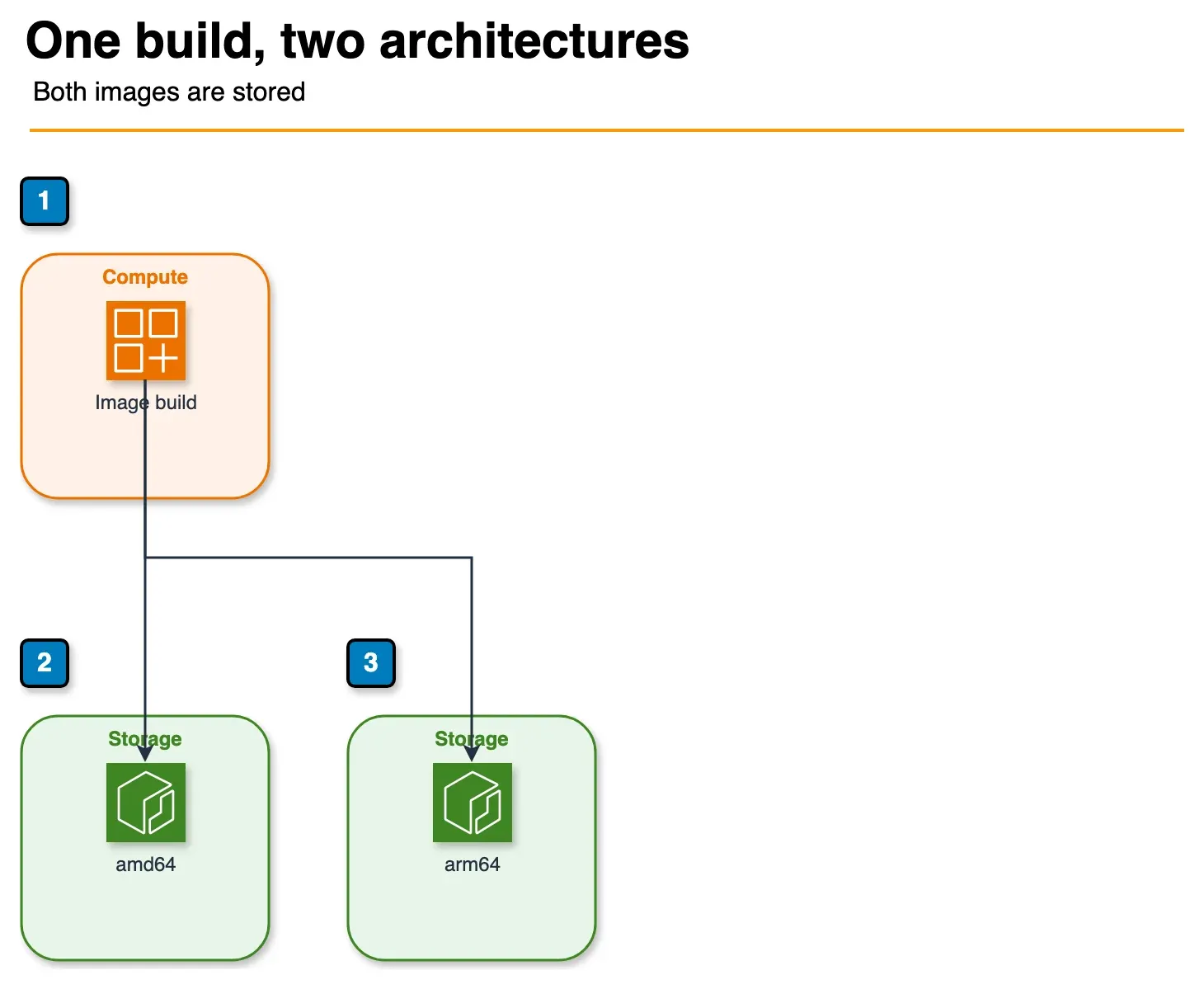
Figure: phase 2 in the article. One build produces both architectures. Benchmark percentages stay in the article. The M9g canary is a different post. Open the draw.io source.
# Old: Single-arch
FROM ubuntu:22.04
COPY app /app
RUN ./app

# New: Multi-arch
FROM --platform=$BUILDPLATFORM ubuntu:22.04 as builder
FROM ubuntu:22.04
COPY --from=builder /app /app
Build for both architectures:
docker buildx build \
  --platform linux/amd64,linux/arm64 \
  -t myapp:latest \
  --push .
Phase 3: Staging deployment (Week 3)
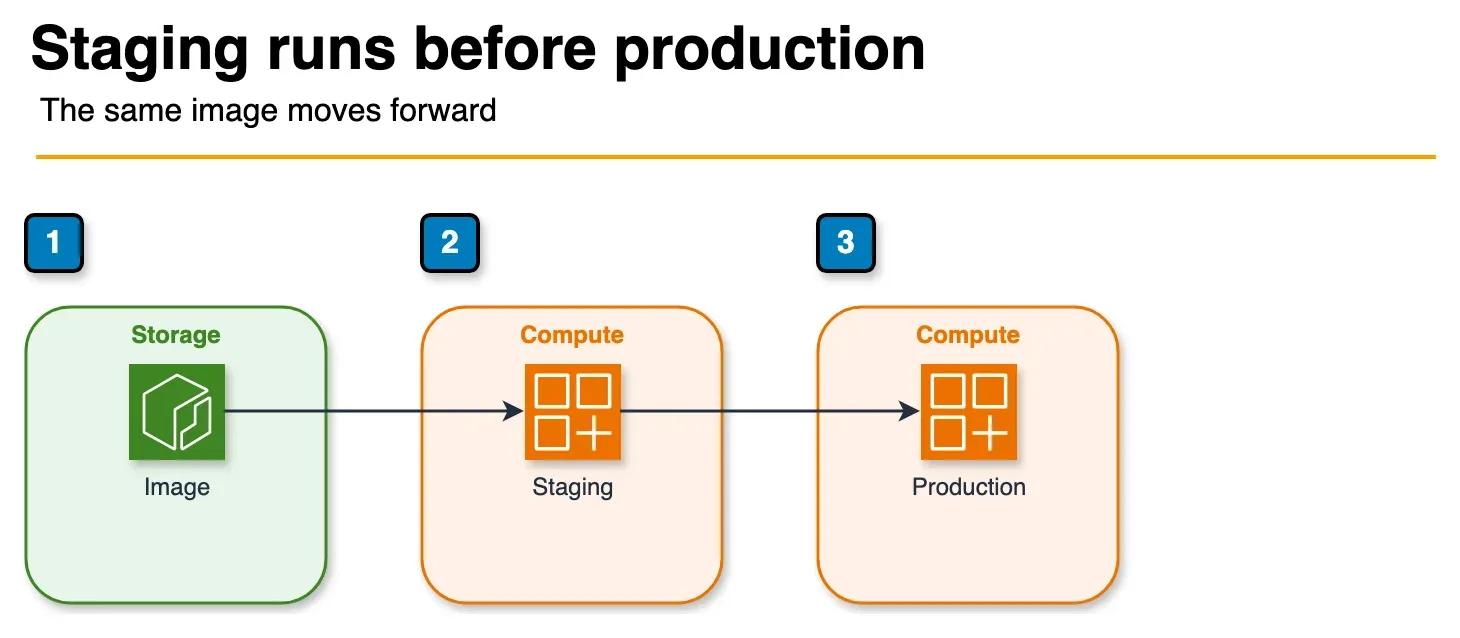
Figure: phase 3 in the article. The image runs in staging before the later production step. Week numbers stay in the article. Open the draw.io source.
# Launch Graviton instance in staging
aws ec2 run-instances \
  --image-id ami-xxxxxxxxx \  # arm64 AMI
  --instance-type m8g.xlarge \
  --subnet-id subnet-xxxxx

# Deploy container
docker run -d myapp:latest  # Pulls ARM64 image automatically
Test:
- Load tests (verify performance)
- Functionality tests (ensure behavior unchanged)
- Latency checks
- Errors/logs for compatibility issues
Phase 4: Production rollout (Week 4)
Canary approach (low risk):
# Launch 1 Graviton instance (1% of traffic)
asg-update \
  --desired-capacity 51 \  # 50 x86 + 1 Graviton
  --mixed-instances-policy {
    "instances-distribution": {
      "on-demand-percentage-above-base-capacity": 10,
      "spot-instance-pools": 3
    },
    "launch-template": {
      "mixed-instances-policy": [
        { "instance-type": "m8g.xlarge", "weighted-capacity": 1 },
        { "instance-type": "m5.xlarge", "weighted-capacity": 1 }
      ]
    }
  }
Monitor for 1 week:
- Error rates (target: same as before)
- Latency (target: same or better)
- Cost (should be lower)
If all good: Gradually increase Graviton percentage (10% → 25% → 50% → 100%)
Phase 5: Full migration and cleanup (Weeks 5-8)
# Final state: 100% Graviton
asg-update --desired-capacity 50 \
  --launch-template m8g.xlarge

# Decommission old x86 instances
# Update launch configs/templates
# Update documentation
# Cancel x86 Reserved Instance commitments (if expiring)
Cost optimization beyond Graviton
Graviton combines with other cost-saving strategies:
Graviton + Reserved Instances
- m8g.xlarge RI: -40% vs on-demand
- Combined with Graviton: 60-70% total savings
Graviton + Savings Plans
- Compute Savings Plans: -20% on all compute (Graviton included)
- Combined: -40-45% total
Graviton + Right-sizing
- Audit memory/CPU utilization
- Many teams over-provision by 50%
- Graviton’s better performance often means you need smaller instance types
Graviton + Spot Instances
- m8g Spot: -70% vs on-demand
- Good for batch, stateless, fault-tolerant workloads
Worked example:
Before:
  100 × m5.2xlarge @ on-demand = $28K/month

After optimization:
  50 × m8g.xlarge @ Reserved Instance (3-year) = $3.8K/month
  100 × m8g.xlarge @ Spot (batch jobs) = $2.1K/month
  Total: $5.9K/month

Savings: $22.1K/month (79% reduction)
Common pitfalls and how to avoid them
Pitfall 1: not testing in staging
Problem: Launch Graviton in production without staging validation. Discover incompatibility at scale.
Solution: Always test 2-4 weeks in staging under realistic load.
Pitfall 2: ignoring third-party dependencies
Problem: Migrate to Graviton, but a critical vendor library doesn’t have ARM support.
Solution: Audit all dependencies upfront. Contact vendors if ARM versions don’t exist.
Pitfall 3: forgetting to update infrastructure as code
Problem: Migrate manually, but Terraform/CloudFormation still define x86 instances. Next deployment rolls back to x86.
Solution: Update IaC first, test, then migrate. Example:
# Terraform
resource "aws_instance" "app" {
  instance_type = "m8g.xlarge"  # Updated from m5.xlarge
  ami           = data.aws_ami.graviton_ubuntu.id
}
Pitfall 4: not monitoring after migration
Problem: Assume migration is done and monitoring is optional. Silent performance regressions go unnoticed for months.
Solution: Monitor for 30-90 days post-migration:
- Error rates, latency, cost, CPU/memory utilization
ROI summary
| Organization Size | Monthly EC2 Cost | Potential Savings | Timeline |
|---|---|---|---|
| Startup | $2K | $400-800 | Immediate |
| Growth-stage | $20K | $4-8K | 1-2 weeks |
| Mid-market | $100K | $20-40K | 2-4 weeks |
| Enterprise | $500K+ | $100-200K | 4-8 weeks |
Bottom line: Graviton migration typically has a 30-day ROI, and the savings continue after that.
Related Resources
- AWS Graviton Documentation
- Graviton Performance Benchmarks
- Getting Started with Graviton
- Right-Sizing EC2 Instances
Graviton cost audit
If your infrastructure is still on x86 and you’re spending $20K+/month on compute, a Graviton migration could cut 20-40% off your cloud bills, with better performance.
Book a free AWS cost audit. We’ll analyze your workloads, identify which are Graviton-ready, and quantify your specific savings potential.
Related reading
- EC2 On-Demand Pricing: Families, Regions, and Graviton Crossover (2026)
- EC2 M9g and M9gd (Graviton5) GA: Migration Field Guide
- C8g → C9g canary checklist
- Amazon EC2 C9g and C9gd (AWS News Blog)
- AWS IaC in 2026: Terraform vs OpenTofu vs Ansible — Practical Decision Guide
Frequently asked questions
What is AWS Graviton and why does it matter for cost optimization?
Can I run my existing application on Graviton without rewriting code?
What applications are the best fit for Graviton migration?
Is there a performance downside to Graviton?
How do I migrate an application to Graviton?
What is the financial ROI of Graviton migration?

AWS Cloud Architect & AI Expert
AWS-certified cloud architect and AI expert with deep expertise in cloud migrations, cost optimization, and generative AI on AWS.