AWS Well-Architected Framework & Review Guide: The 6 Pillars Explained
Quick summary: The 6 Well-Architected pillars, with what each costs, what each covers, and how to apply them to a workload before AWS's solutions architects do it for you.
Key Takeaways
- The 6 Well-Architected pillars, with what each costs, what each covers, and how to apply them to a workload before AWS's solutions architects do it for you
- May 2026 refresh: Well-Architected adds domain lenses continuously
- Download the latest SA questionnaires before quarterly reviews so pillar weights reflect current AWS guidance (AWS Well-Architected)
- What is an AWS Well-Architected review
- AWS partners like FactualMinds conduct these reviews using the AWS Well-Architected Tool, which generates a report that can be shared with your team and with AWS

Table of Contents
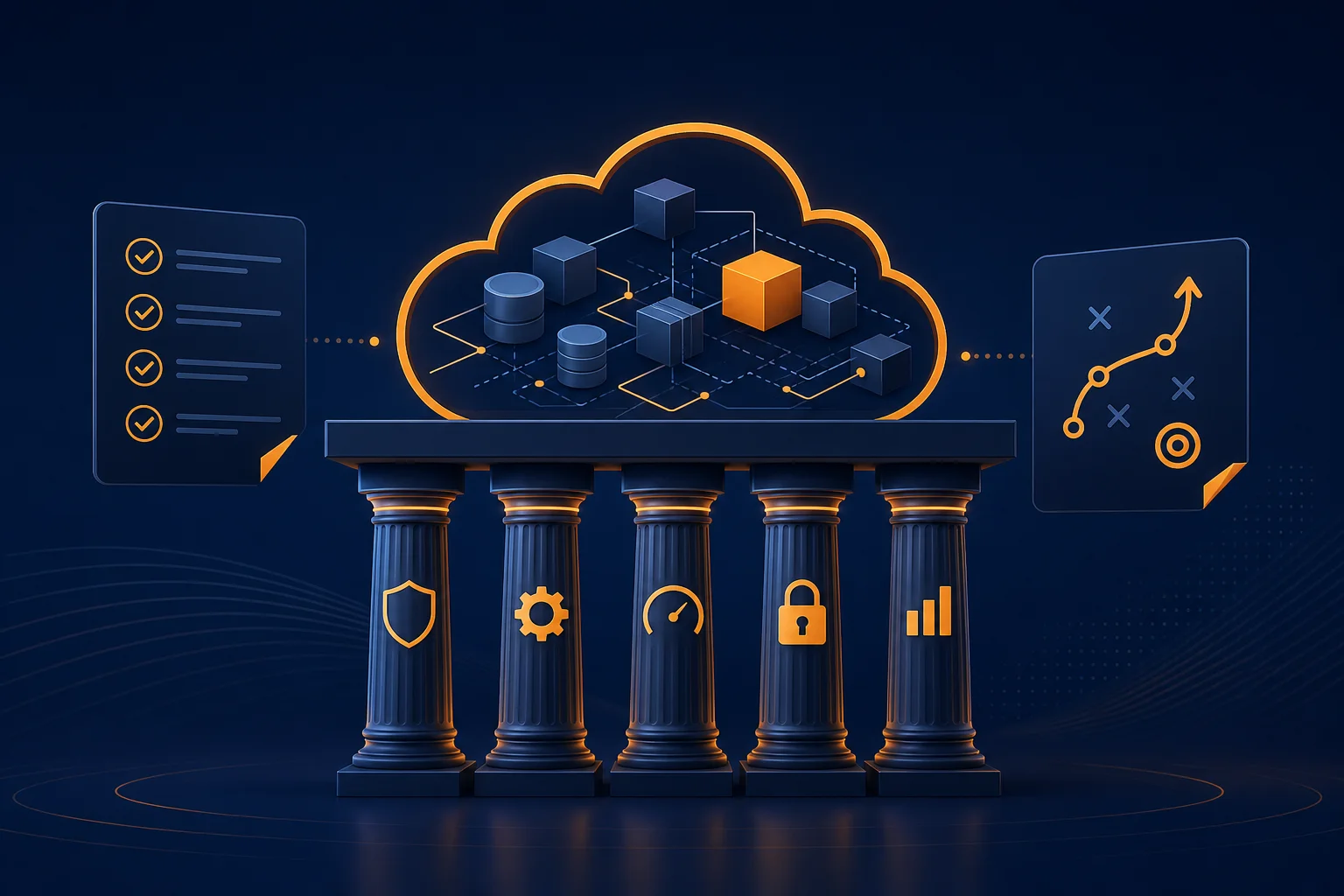
The AWS Well-Architected Framework is AWS’s official set of best practices for designing and operating workloads in the cloud. It gives you a consistent way to evaluate architectures against proven standards, identify areas of risk, and make decisions about your cloud environment.
May 2026 refresh: Well-Architected adds domain lenses continuously. Download the latest SA questionnaires before quarterly reviews so pillar weights reflect current AWS guidance (AWS Well-Architected).
What is an AWS Well-Architected review?
A Well-Architected Review is a structured assessment of your cloud workloads against the framework’s six pillars. It identifies high-risk areas (HRIs) in your architecture and provides actionable recommendations for improvement. AWS partners like FactualMinds conduct these reviews using the AWS Well-Architected Tool, which generates a report that can be shared with your team and with AWS.
Organizations that complete Well-Architected Reviews often qualify for AWS credits to fund remediation of identified issues.
Pillar 1: Operational Excellence
Operational excellence focuses on running and monitoring systems to deliver business value, and continually improving processes and procedures.
Key principles
- Perform operations as code: Define your infrastructure and operational procedures as code using CloudFormation, CDK, or Terraform. This eliminates manual processes, ensures consistency, and enables version control.
- Make frequent, small, reversible changes: Smaller changes are easier to test, deploy, and roll back. This is the foundation of CI/CD practices and DevOps pipeline automation.
- Refine operations procedures frequently: Review and update runbooks and playbooks based on operational events and lessons learned.
- Anticipate failure: Design systems assuming components will fail. Run game days and chaos engineering experiments to validate your response procedures.
- Learn from operational failures: Conduct post-incident reviews and share findings across teams to prevent recurrence.
What to assess
- Are deployments automated with CI/CD pipelines?
- Do you have runbooks for common operational tasks?
- Are operational metrics and logs centralized and monitored?
- How quickly can you detect and respond to incidents?
- Do you conduct post-incident reviews?
Pillar 2: Security
The security pillar covers protecting information, systems, and assets while delivering business value through risk assessments and mitigation strategies.
Key principles
- Implement a strong identity foundation: Use the principle of least privilege for all IAM policies. Centralize identity management and eliminate long-term static credentials.
- Enable traceability: Log and monitor all actions and changes to your environment using CloudTrail, Config, and VPC Flow Logs.
- Apply security at all layers: Defense in depth: VPC security, subnet isolation, Security Groups, WAF, and application-level controls.
- Automate security best practices: Use automated scanning, compliance checks, and remediation through AWS security services.
- Protect data in transit and at rest: Enforce encryption using KMS, ACM, and TLS policies.
- Keep people away from data: Reduce direct access to data and processing systems. Use automated tools and controlled access patterns.
What to assess
- Are IAM policies following least-privilege principles?
- Is MFA enforced for all human users?
- Is data encrypted at rest and in transit?
- Are GuardDuty, Security Hub, and Config deployed?
- Do you have an incident response plan?
Our guide covers this in more depth: Securing AWS Workloads: Beyond the Basics.
Pillar 3: Reliability
Reliability ensures a workload performs its intended function correctly and consistently when expected. This includes the ability to operate and test the workload through its total lifecycle.
Key principles
- Automatically recover from failure: Monitor key performance indicators and trigger automated recovery when thresholds are breached.
- Test recovery procedures: Validate your recovery strategies through regular testing, including failover drills and backup restoration.
- Scale horizontally: Distribute load across multiple smaller resources rather than scaling up a single large resource to reduce the impact of a single failure.
- Stop guessing capacity: Use autoscaling to match supply to demand automatically rather than provisioning for peak load at all times.
- Manage change in automation: Use infrastructure as code to make infrastructure changes predictable and auditable.
What to assess
- Are workloads deployed across multiple Availability Zones?
- Is autoscaling configured for compute resources?
- Are backups automated and regularly tested for restoration?
- Do you have defined RPO (Recovery Point Objective) and RTO (Recovery Time Objective) targets?
- How does the system behave when a dependency fails?
Pillar 4: Performance Efficiency
Performance efficiency focuses on using compute resources efficiently to meet system requirements, and maintaining that efficiency as demand changes and technologies evolve.
Key principles
- Democratize advanced technologies: Use managed services (RDS, ElastiCache, Bedrock) instead of building and managing complex technology stacks yourself.
- Go global in minutes: Deploy workloads to multiple AWS regions and use edge services like CloudFront to serve users with low latency worldwide.
- Use serverless architectures: Eliminate the need to manage servers for workloads where serverless is appropriate (Lambda, Fargate, API Gateway).
- Experiment more often: Use the cloud’s elasticity to test different instance types, storage configurations, and architectural patterns.
- Consider mechanical sympathy: Choose the technology approach that aligns best with your workload’s access patterns and requirements.
What to assess
- Are you using the right instance types for your workload profiles?
- Have you evaluated serverless options for appropriate workloads?
- Is caching implemented at the right layers (CloudFront, ElastiCache, DAX)?
- Are database queries optimized and using appropriate indexes?
- When was the last time you benchmarked your current architecture against newer AWS services?
Pillar 5: Cost Optimization
Cost optimization focuses on avoiding unnecessary costs and understanding where money is being spent. This is the pillar that directly affects your bottom line.
Key principles
- Implement cloud financial management: Assign cost ownership to teams, implement cost allocation tagging, and establish budgets with alerts.
- Adopt a consumption model: Pay only for what you consume. Shut down resources when not in use. Use autoscaling to match capacity to demand.
- Measure overall efficiency: Track cost per business outcome (cost per transaction, cost per user) rather than just total spend.
- Stop spending money on undifferentiated heavy lifting: Use managed services instead of self-managing infrastructure that does not differentiate your business.
- Analyze and attribute expenditure: Use Cost Explorer, Cost and Usage Reports, and tagging to understand exactly where your money goes.
What to assess
- Do you have cost allocation tags on all resources?
- Are Reserved Instances or Savings Plans in place for steady-state workloads?
- Are non-production environments scheduled to shut down outside business hours?
- Do teams have visibility into the costs of the resources they own?
- When was your last right-sizing review?
For AWS cost management, see our AWS Cloud Cost Optimization Services or read about 5 Cost Optimization Strategies Most Teams Overlook.
Pillar 6: Sustainability
Added in 2021, the sustainability pillar focuses on minimizing the environmental impact of running cloud workloads.
Key principles
- Understand your impact: Measure and track the carbon footprint of your cloud workloads using AWS Customer Carbon Footprint Tool.
- Establish sustainability goals: Set targets for energy efficiency and carbon reduction as part of your cloud strategy.
- Maximize utilization: Right-size resources and use autoscaling to ensure compute resources are being fully utilized rather than sitting idle.
- Adopt more efficient technologies: Graviton (ARM-based) instances deliver better price-performance and lower energy consumption than comparable x86 instances.
- Use managed services: Shared managed services are more resource-efficient than dedicated infrastructure because AWS optimizes the underlying fleet.
- Reduce downstream impact: Minimize the amount of data transferred, optimize content delivery, and reduce the compute required per user request.
What to assess
- Are you using Graviton instances where compatible?
- Are idle resources identified and terminated or scaled down?
- Have you evaluated the energy efficiency of your current instance families?
- Is data retention optimized to avoid storing unnecessary data?
- Are you using the most efficient storage tiers for your data access patterns?
How to conduct a Well-Architected review
Step 1: Define the workload
A workload is a collection of resources and code that delivers business value, such as an application, a data pipeline, or a microservices architecture. Start with your most critical or highest-spend workload.
Step 2: Answer the framework questions
The AWS Well-Architected Tool provides a structured questionnaire for each pillar. Answer honestly: the value is in identifying real risks, and a perfect score is beside the point.
Step 3: Identify high-risk issues
The review produces a list of High Risk Issues (HRIs) and Medium Risk Issues (MRIs). HRIs represent architectural decisions that could lead to outages, security breaches, or significant cost overruns.
Step 4: Prioritize and remediate
Not every finding needs immediate action. Prioritize based on business impact, risk severity, and implementation effort. Many quick wins, like enabling encryption, adding backups, or right-sizing instances, can be addressed in days.
Step 5: Schedule regular reviews
Cloud architectures evolve. New services launch, workloads change, and teams make incremental modifications. Schedule quarterly or semi-annual reviews to keep your architecture aligned with best practices.
When to do a Well-Architected review
- Before a major launch: Validate that your architecture is production-ready.
- After significant growth: Architectures that worked at 1x scale may not hold at 10x.
- Before compliance audits: Well-Architected Reviews provide documentation that supports SOC 2, HIPAA, and PCI assessments.
- When AWS costs are climbing: The cost optimization pillar often reveals significant savings opportunities.
- Periodically: At least annually, or when major architectural changes are made.
Get a free Well-Architected review
As an AWS Select Tier Services Partner, FactualMinds conducts free AWS Well-Architected Reviews that identify actionable improvements across all six pillars. Our reviews typically complete in 2 weeks and often qualify for AWS funding to offset remediation costs.
What you receive: Executive summary, prioritized findings report, compliance gap analysis, and a remediation roadmap with quick wins and strategic improvements.
Book Your Free AWS Well-Architected Review →
For multi-account governance and landing zones, see multi-account strategy best practices and cross-account patterns beyond the landing zone.
Related reading
- AWS Cloud Center of Excellence (CCoE): Operating Model, RFCs, and How WAR + FinOps Connect
- AWS for Retail: The Complete Guide for eCommerce Teams
- AWS Global Accelerator vs CloudFront & Route 53 (2026)
- AWS IoT Greengrass v2: Edge Computing for Factory Floors
- AWS IoT SiteWise Native Anomaly Detection for Predictive Maintenance
- AWS IoT Solutions: Architecture Patterns for Connected Devices
- AWS IoT TwinMaker: Digital Twin Architecture for Manufacturing
- AWS Managed Services vs AWS Support Plans: What
- AWS Architecture for Black Friday: How Retail Teams Prepare for Peak Traffic
- 12 Benefits of Hiring a Certified AWS Consultant — With Real ROI
- Custom AWS Development for Retail: When Off-the-Shelf Is Not Enough
- How to Optimize EC2 for High-Performance APIs
- Microservices Design Patterns on AWS: 10 Patterns That Actually Matter in 2026
- How to Choose Between Nginx, FrankenPHP, and Modern Web Runtimes (2026)
- OPC-UA on AWS: SiteWise Edge Gateway Setup and Best Practices
- OT/IT Convergence on AWS: Architecture Patterns for Smart Manufacturing
- How to Build Reliable Queue Systems on AWS (SQS, Kafka, Redis)
- How to Tune PHP, Node.js, Python, and Go for High Concurrency on AWS
Frequently asked questions
What is the AWS Well-Architected Framework?
What is the sixth pillar of the Well-Architected Framework?
What is an AWS Well-Architected Review?
Are AWS Well-Architected credits real?
How long does an AWS Well-Architected Review take?

AWS Cloud Architect & AI Expert
AWS-certified cloud architect and AI expert with deep expertise in cloud migrations, cost optimization, and generative AI on AWS.